
Knowledge, WordPress Tips & Tutorials
301 Redirect PageRank Impact: Critical SEO Guidelines for WordPress
Sep
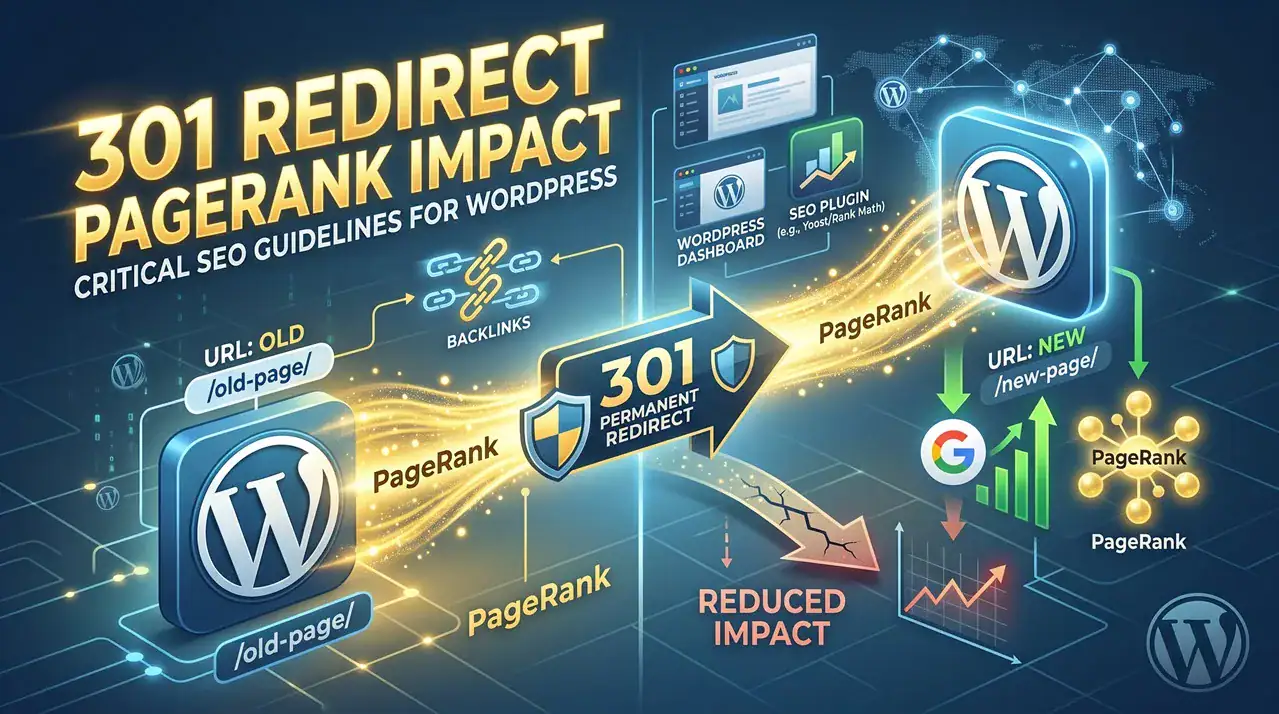
The 301 redirect PageRank relationship has undergone fundamental shifts in modern search engine algorithms, meaning that changing URLs on your WordPress site no longer guarantees an automatic return to your previous Google rankings. Historically, webmasters treated HTTP 301 permanent redirects as near-lossless conduits for link equity, domain authority, backlink signals, and accumulated content history. However, search engines have heavily recalibrated how authority flows across redirected endpoints. If you manage a content-rich WordPress blog, an extensive WooCommerce storefront, or a corporate domain, assuming that a redirection rule completely transfers your organic standing can lead to unexpected and severe organic traffic declines.
PageRank, in technical terms, represents an algorithmic calculation of a document’s relative authority, informed by link volume, link quality, domain age, historical relevance, and query-level trust signals. When you change a URL—whether moving an individual blog post slug, restructuring product permalinks, or conducting a complete domain migration—a 301 redirect informs search crawlers that the original entity has permanently relocated. In past algorithm iterations, Google transferred virtually all associated link authority to the target address within several crawling cycles. Today, algorithmic adjustments aimed at web spam, expired domain exploitation, and parasite SEO have altered this dynamic. A 301 status code serves merely as a strong canonicalization hint rather than a mandatory directive to transfer full authority.
This documentation clarifies how these algorithm changes influence your WordPress site architecture, identifies high-risk redirect patterns, and outlines operational best practices. Understanding how search engines evaluate internal competition, topical overlap, and redirect paths will ensure that your technical SEO decisions protect your site’s established visibility.
Getting Started with WordPress Redirection Management
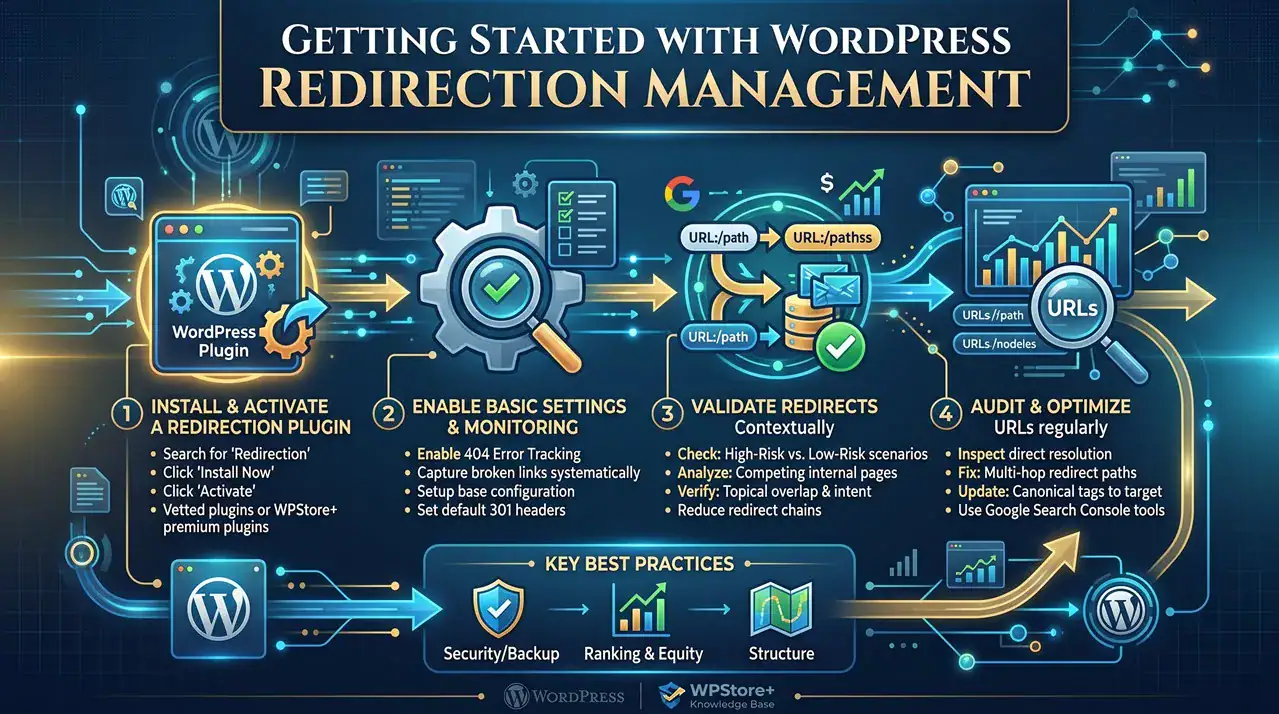
Managing redirects safely requires reliable infrastructure. While server-level redirection via .htaccess or NGINX configurations offers optimal processing speeds, most WordPress administrators rely on vetted redirection plugins (such as Redirection or dedicated SEO suites like Rank Math and Yoast SEO) to handle rule mappings systematically.
Step 1: Downloading and Installing the Redirection Module
-
Navigate to your WordPress administrative dashboard.
-
Select Plugins > Add New.
-
Search for a reputable management tool (e.g., “Redirection”).
-
Click Install Now, followed by Activate.
-
If using a premium enterprise plugin from WPStore+, upload the
.zippackage via Plugins > Add New > Upload Plugin, then apply the license key under the plugin’s settings tab.
Step 2: Base Configuration and Monitoring Rules
-
Access the redirection console under Tools > Redirection or your specific SEO plugin dashboard.
-
Enable 404 error tracking to monitor broken links across your WordPress site.
-
Configure the URL Options / Matches to ignore trailing slashes and query parameters where appropriate to prevent duplicate redirection chains.
-
Set default HTTP headers to
301 - Moved Permanentlyonly when a relocation is definitive.
📍 Critical Precaution: Before deploying global redirection rules or altering permalink structures under Settings > Permalinks, create a comprehensive database backup. Verify whether your staging environment accurately mirrors your production canonical tags.
High-Risk vs. Low-Risk 301 Redirect Scenarios
Understanding algorithm behavior determines whether an intended URL change will succeed or trigger an organic drop.
Scenarios Carrying High Ranking Risks
-
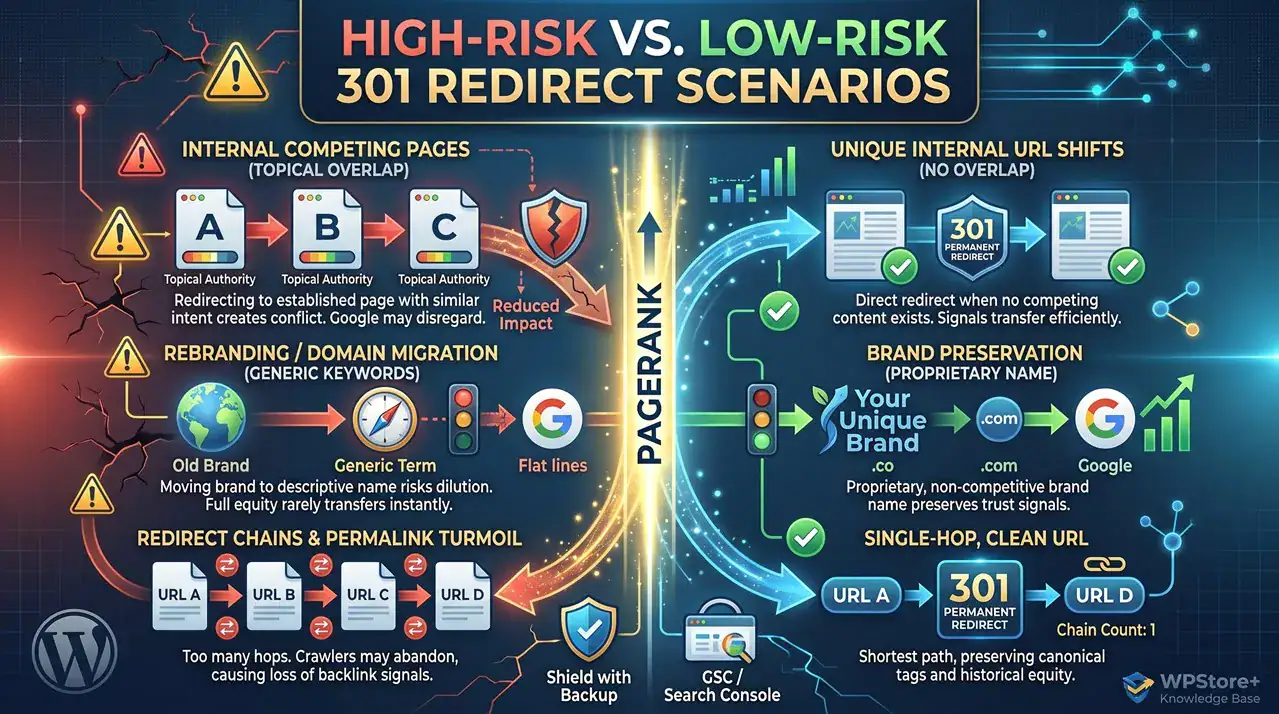
Internal URL Changes with Competing High-Authority Pages:
If your WordPress site contains multiple pages targeting related topic clusters, redirecting one URL to another can lead to ranking dilution. For instance, if you redirect an established URL like
/seo-consult/to/seo-training/on a domain that already features dedicated, high-ranking pages for “SEO Training” and “SEO Courses,” Google will not automatically assign the old page’s rankings to the new target. Instead, search algorithms re-evaluate the broader topical cluster. Google may favor older, established alternative pages instead of your intended target, resulting in lower aggregate visibility due to an intent mismatch. -
Domain Migrations with Generic or Competitive Brand Keywords:
Migrating an entire domain using 301 redirects carries minimal risk only if your brand name is entirely unique. If your home page ranks for competitive industry keywords or generic phrases, a 301 domain redirect rarely passes full equity immediately. Competitors maintaining static, uninterrupted domain histories will frequently overtake your position while your new domain is forced to rebuild foundational trust signals.
-
Redirect Chains and Frequent Alterations:
Redirecting
URL A -> URL B, and subsequently changingURL B -> URL Cover short operational periods, degrades equity transfer. Search engine crawlers may abandon multi-hop redirect chains, causing Google to disregard historical signals entirely.
Low-Risk Redirection Scenarios
-
Unique Internal URL Shifts:
Redirecting an internal URL where no competing or overlapping content exists on the domain remains relatively stable.
-
Single-Brand Domain Migrations:
Moving a site to a new top-level domain (e.g., from
.coto.com) while preserving exact URL paths, branding, and content structure remains safe—provided the brand term is proprietary and non-competitive.
Testing the Plugin and Redirection Rules
Never deploy URL redirections without functional validation. Complete the following verification steps:
-
Verify HTTP Status Codes: Use a terminal command (
curl -IL [https://yourdomain.com/old-slug/](https://yourdomain.com/old-slug/)) or an HTTP status header inspector to ensure the initial response code is an explicit301and not a302 Temporary Redirector200 OK. -
Inspect Direct Resolution: Confirm that the source URL resolves directly to the destination URL in a single request, eliminating intermediate redirects (
Chain Count: 1). -
Audit Canonical Tags: Inspect the target page’s source code (
<link rel="canonical" href="..." />) to ensure the canonical tag points precisely to the new URL destination, avoiding self-referential loops or legacy references. -
Submit via Google Search Console: Use the URL Inspection Tool in Google Search Console on both the old and new URLs to confirm retrieval accuracy, indexing permission, and canonical selection.
FAQs
💬 Does a 301 redirect pass 100% PageRank to the destination URL?
No. While search engines previously stated that 301 redirects preserve full link equity, modern algorithmic updates designed to neutralize expired domain abuse and manipulation evaluate redirects contextually. Topical relevance, site architecture, and historical signals determine how much equity is applied.
💬 How long should I keep 301 redirects active on my WordPress site?
Maintain 301 redirects for a minimum of 12 months. Search engines require extended observation periods to process entity moves, reassign historical backlinks, and consolidate search console reporting.
💬 Can I fix a ranking drop caused by an internal URL redirect by reverting it?
Yes, but recovery is not instantaneous. If removing a 301 redirect and restoring original content at the old URL, request immediate re-indexing via Google Search Console. Expect a transitional buffer while search systems reconcile structural changes.
Summary
Permanent 301 redirects no longer guarantee the seamless transfer of PageRank and keyword positioning on search engine results pages. Google’s aggressive measures against web spam, redirect abuse, and domain exploitation have made link equity transfer far more conservative. As a general rule for WordPress and WooCommerce site architecture, preserve existing URLs whenever possible. When modifications are mandatory, plan redirect mappings precisely, avoid redirect chains, resolve internal content cannibalization beforehand, and monitor URL status codes rigorously. Treating redirects with technical diligence is essential to safeguarding your site’s domain authority and organic acquisition over the long term.
Looking to strengthen your website’s overall technical foundation? Explore our comprehensive WordPress Tips & Tutorials hub for actionable guides, performance benchmarks, and advanced SEO strategies. Whether you are troubleshooting permalink conflicts, configuring enterprise redirection modules, or planning a full-scale domain migration for WooCommerce, our knowledge base provides step-by-step documentation tailored for every skill level. Discover industry-tested methodologies to safeguard your organic search rankings, optimize core web vitals, and maintain complete control over your technical architecture. Click through to our Main Tutorials Library to browse our latest WordPress resources and master modern site management today.