

WPStore+ Webhook Delivery Monitor
Original price was: $59.00.$39.00Current price is: $39.00.
WooCommerce webhook monitor & deliveries, identify failurhealth, receive configurable alerts, and retry eligible failed deliveries through a safety-first manual workflow.
WPStore+ Webhook Delivery Monitor gives store owners, administrators, and developers a centralized view of webhook reliability without introducing automatic payload replay or uncontrolled retry behavior.
Launch Price: $39/year · Regular Price: $59/year · 1-Site License
WooCommerce Webhook Monitor Reliability from One Dashboard
WooCommerce webhooks are commonly used to connect online stores with external services, order-processing systems, automation platforms, customer relationship management tools, accounting applications, and custom APIs.
When a webhook delivery fails, responds slowly, or repeatedly returns an error, identifying the cause can require manually reviewing individual log files and comparing multiple delivery attempts.
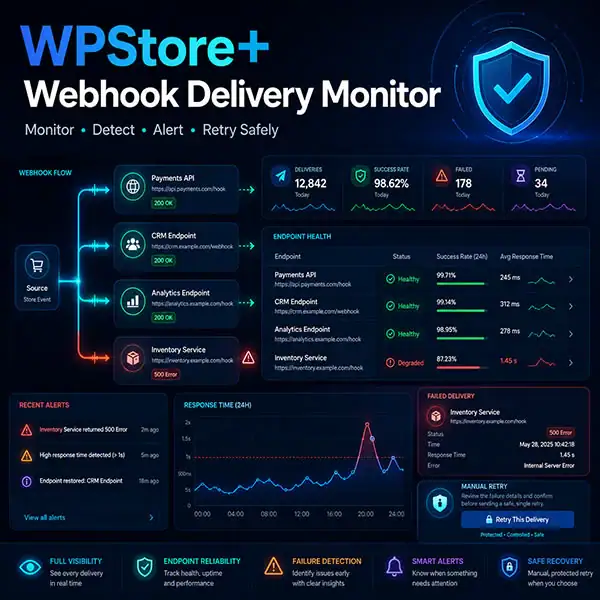
WPStore+ Webhook Delivery Monitor provides a structured monitoring dashboard for WooCommerce webhook deliveries. It records delivery outcomes, summarizes endpoint health, detects unusual failure patterns, sends configurable notifications, and provides a guarded manual retry workflow for eligible failed deliveries.
The plugin is designed around visibility, controlled recovery, privacy, and operational safety.
Key Features
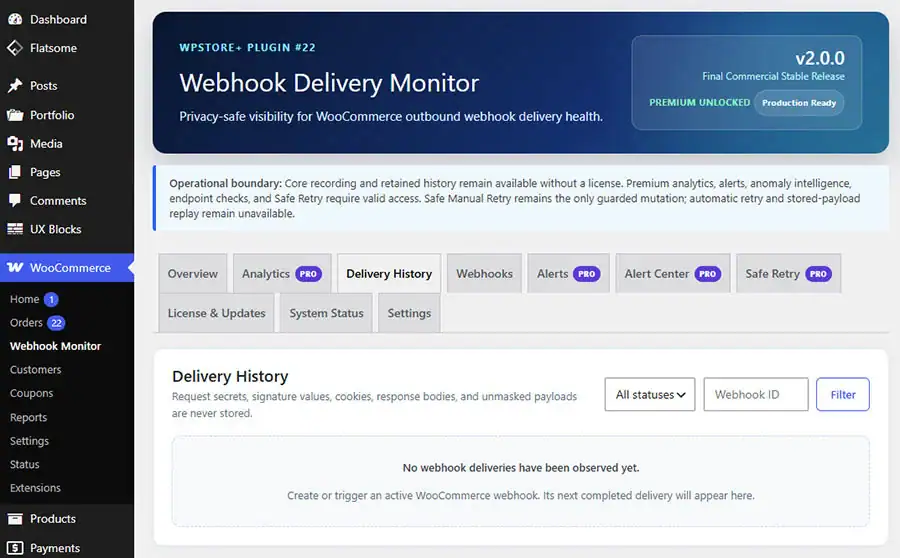
Centralized Delivery History
Review WooCommerce webhook delivery activity from a dedicated administration interface.
Each delivery record can include:
- Delivery status
- HTTP response code
- Response duration
- Webhook name and identifier
- Delivery date and time
- Error classification
- Signature verification status
- Privacy-controlled payload preview
- Retry relationship and outcome
Filtering and pagination help administrators investigate delivery activity without manually searching through multiple WooCommerce log files.
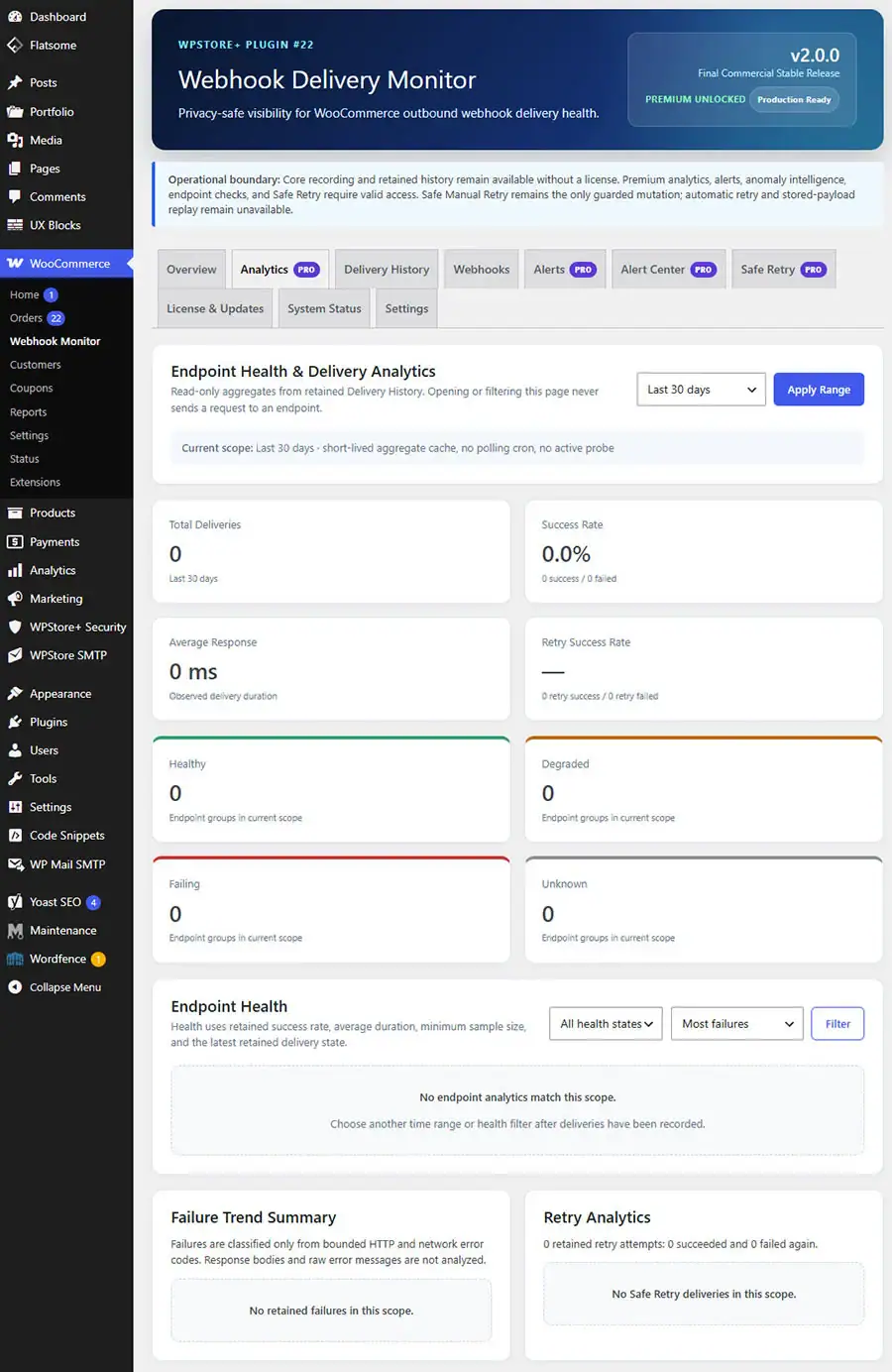
Endpoint Health and Delivery Analytics
Analyze the health of webhook endpoints using retained delivery history.
Available reporting periods include:
- Last 24 hours
- Last 7 days
- Last 30 days
- All retained history
Endpoint analytics include:
- Total deliveries
- Successful deliveries
- Failed deliveries
- Success rate
- Average response time
- Last successful delivery
- Last failed delivery
- Retry attempts
- Retry success rate
Endpoint health is classified as:
- Healthy
- Degraded
- Failing
- Unknown
Analytics are calculated from existing delivery records. The plugin does not continuously probe endpoints or create background analytics requests.
Failure Trend Classification
Delivery failures are organized into practical error groups, including:
- HTTP 4xx responses
- HTTP 5xx responses
- Connection timeouts
- DNS errors
- SSL or TLS errors
- Connection refused
- Invalid responses
- Unknown errors
This makes it easier to distinguish destination-server problems, network issues, authentication failures, and other common webhook delivery conditions.
Response-Time Monitoring
Endpoint response performance is summarized using clear indicators:
- Fast
- Normal
- Slow
- Critical
The indicators use actual webhook delivery data rather than synthetic monitoring requests.
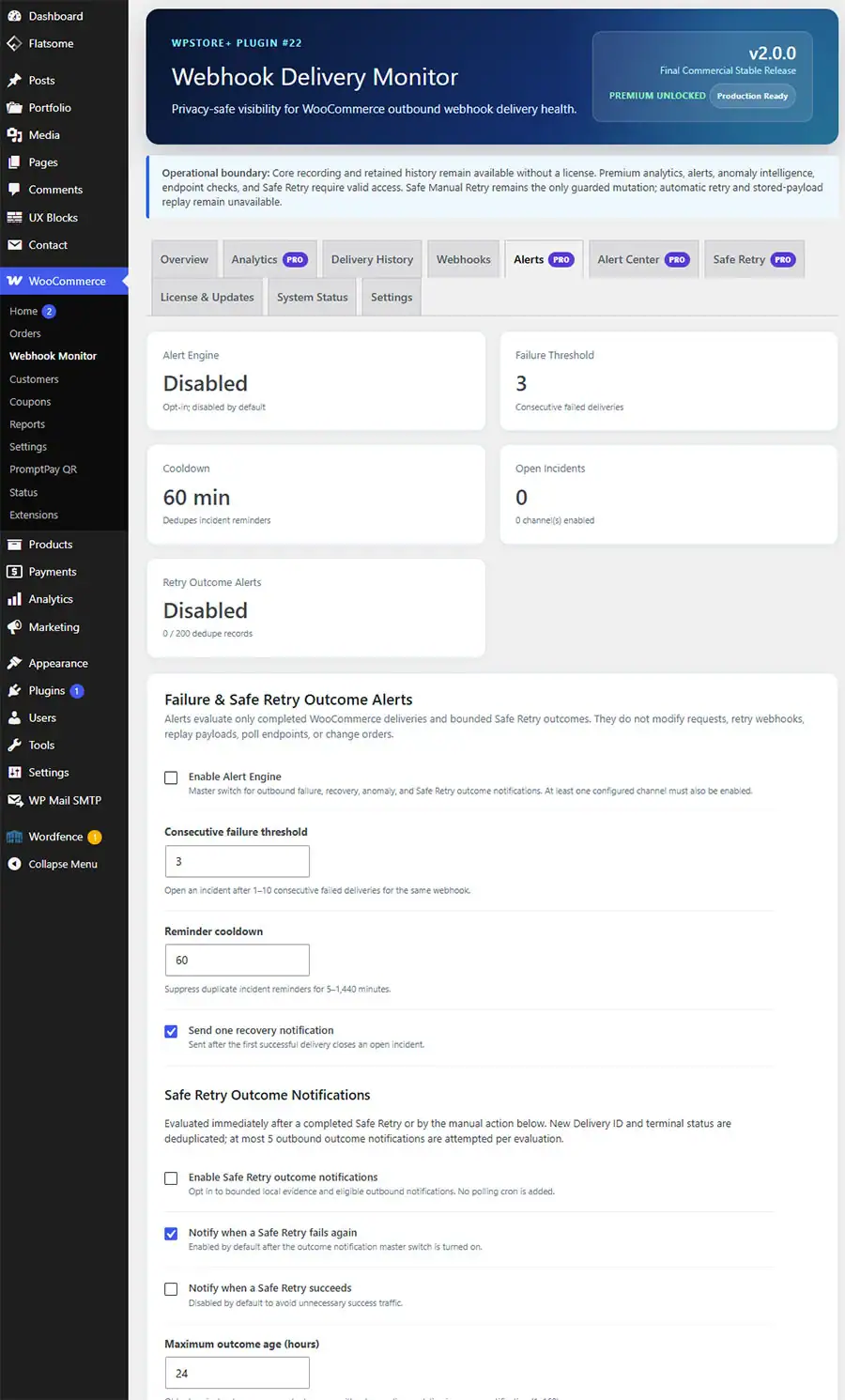
Failure Alerts and Recovery Notifications
Receive notifications when delivery reliability crosses configured conditions.
Supported notification channels include:
- WordPress email
- LINE Messaging API
- Slack Incoming Webhook
- Custom Webhook
Alert conditions can include:
- Repeated delivery failures
- Failure thresholds
- Recovery after previous failures
- Slow endpoint responses
- Signature mismatches
- Detected anomaly patterns
Notification credentials are handled as write-only values and are not exposed in support reports or administration-page source code.
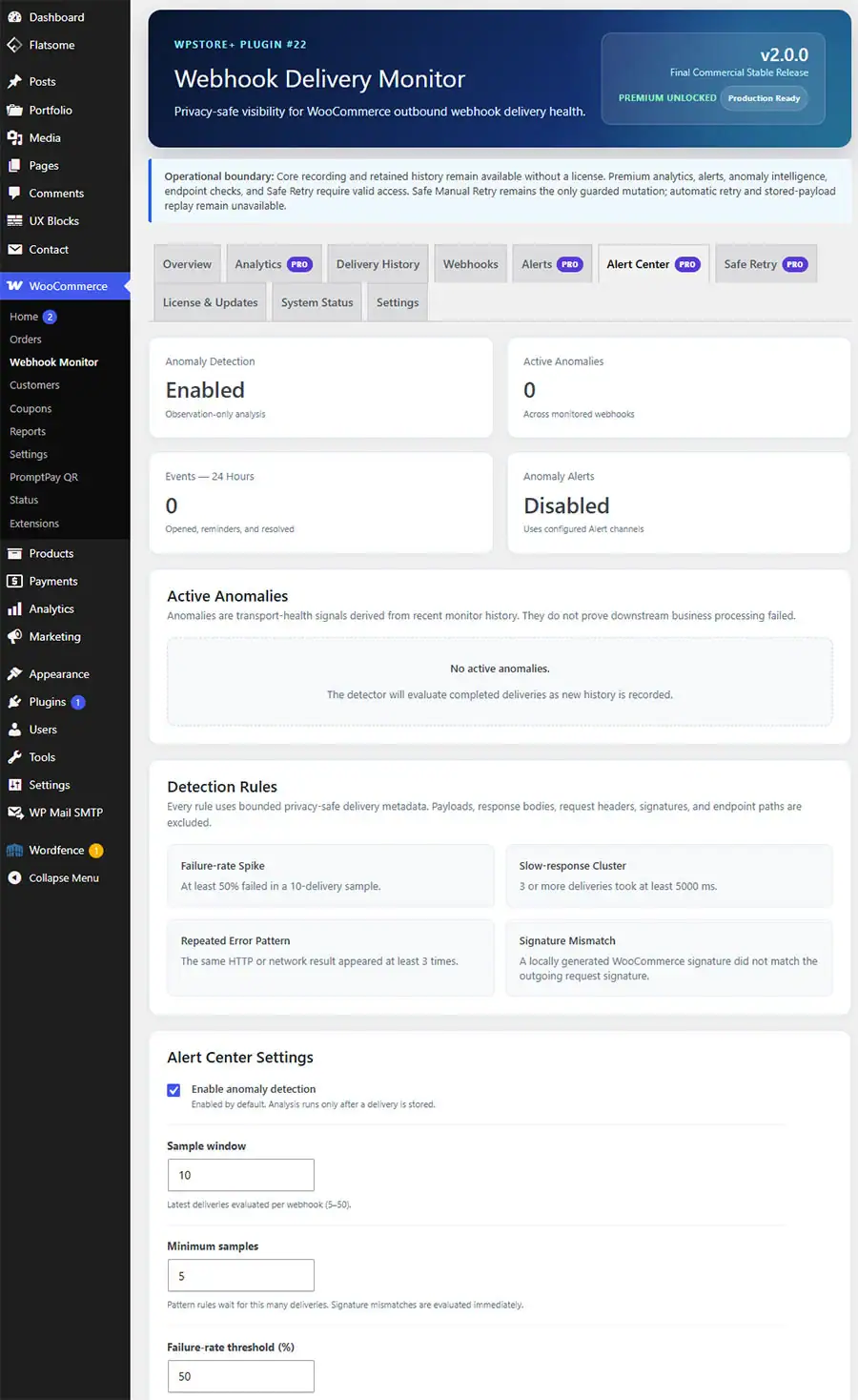
Anomaly Detection and Alert Center
The Alert Center helps administrators identify behavior that may require investigation, including:
- Sudden failure spikes
- Repeated error patterns
- Slow-response anomalies
- Signature mismatch activity
- Endpoint reliability degradation
Anomaly information is derived from recorded webhook events and does not introduce a separate endpoint polling service.
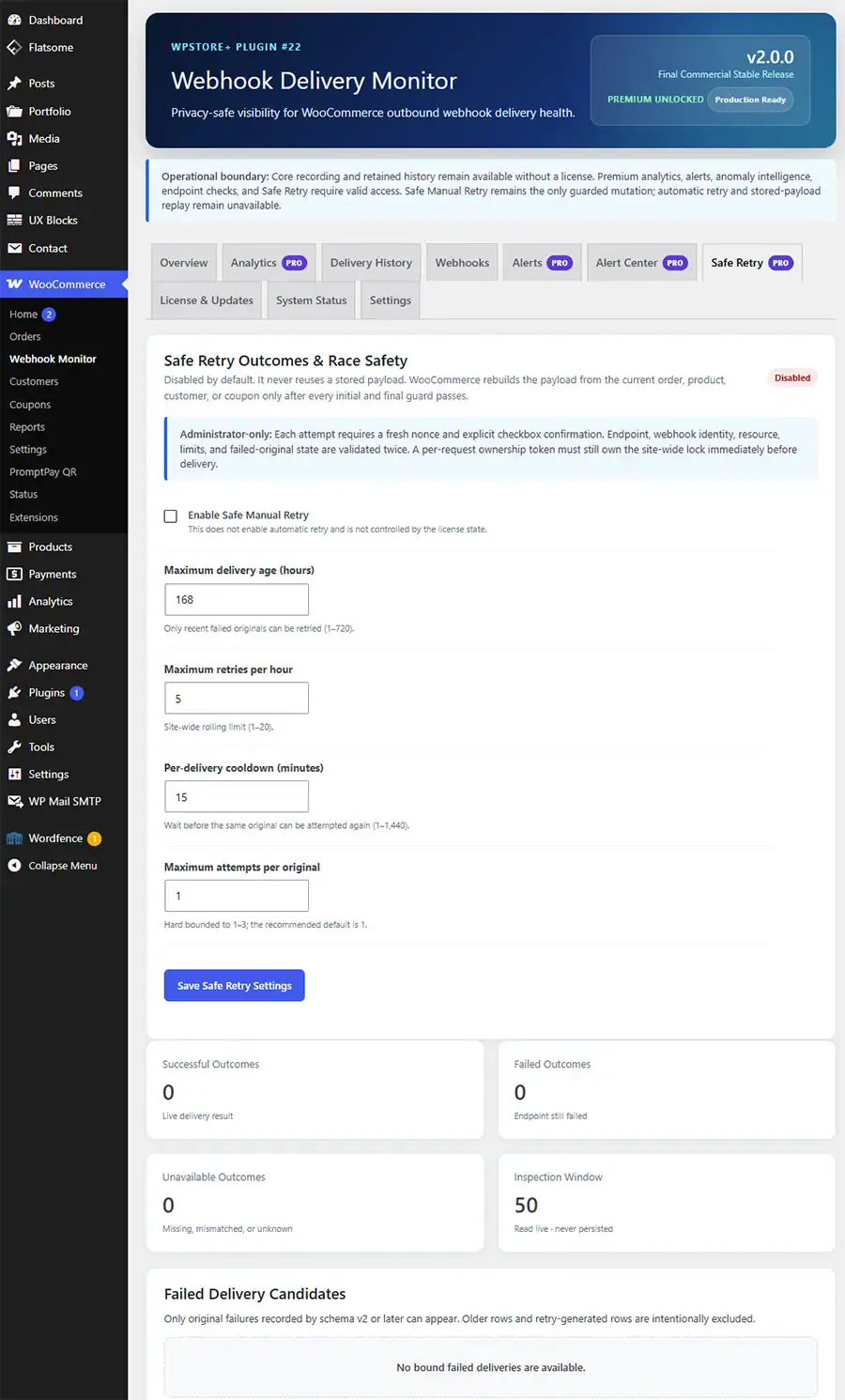
Safe Manual Retry
Eligible failed deliveries can be retried through a guarded manual process.
The Safe Manual Retry workflow includes:
- Administrator confirmation
- Capability and nonce verification
- Resource and webhook validation
- Endpoint fingerprint verification
- Retry age limits
- Per-hour rate limits
- Cooldown protection
- Attempt limits
- Atomic ownership locking
- Final pre-send validation
- Retry parent and child relationship tracking
The retry process rebuilds the delivery using the current WooCommerce resource state. It does not automatically replay an old stored payload.
Retry Outcome Tracking
After a manual retry, the plugin can identify whether the new delivery:
- Succeeded
- Failed again
- Is still pending
- Is no longer retained
- No longer matches its original delivery
- Has an unknown result
Retry analytics are also available to show:
- Total retry attempts
- Successful retries
- Failed retries
- Retry success rate
- Endpoints requiring the most retries
Retry Outcome Notifications
Optional notifications can be sent when a retry:
- Succeeds
- Fails again
Duplicate-notification protection and ownership locking prevent the same terminal outcome from being reported repeatedly.
The plugin does not create a retry-outcome polling cron job.
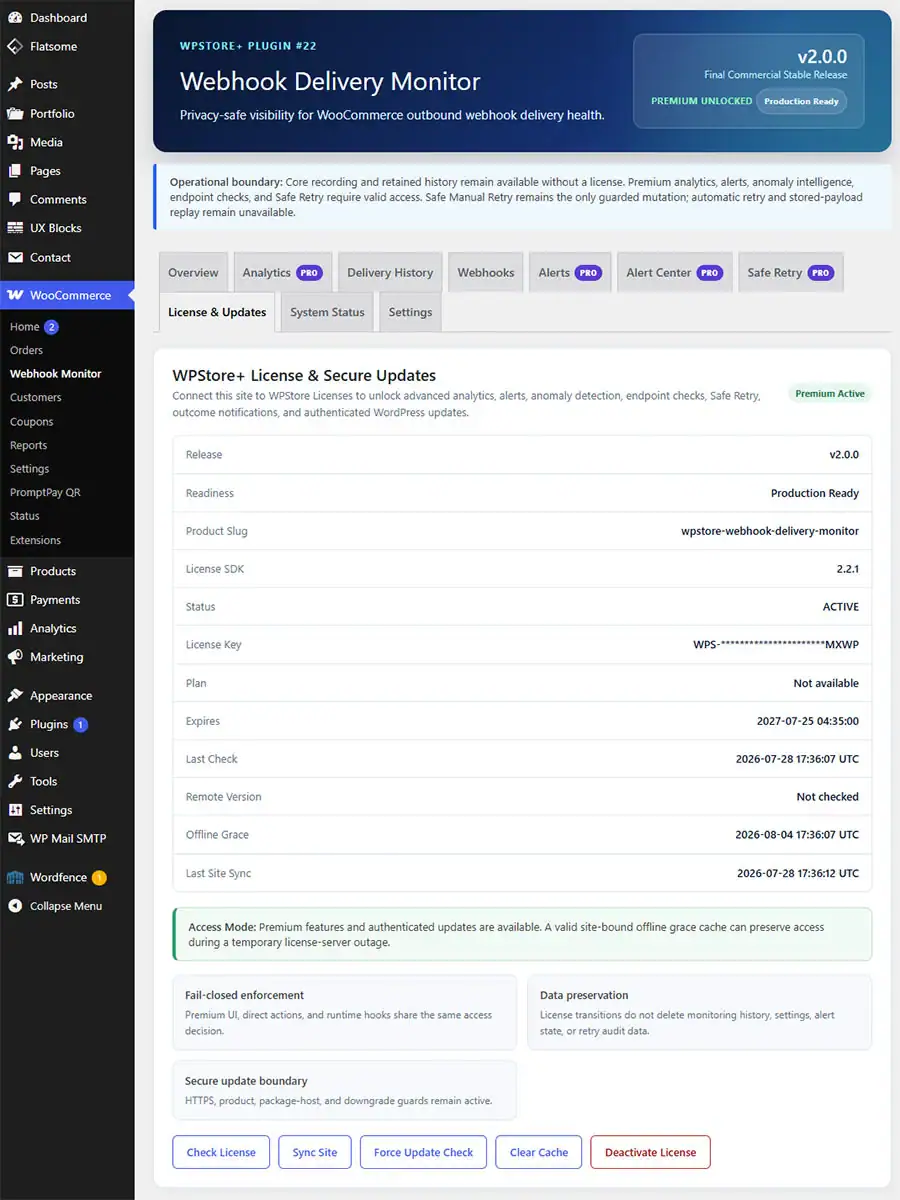
License-Aware Core and Premium Modes
Without an active license, essential monitoring functions remain available through Core Mode, including:
- Delivery recording
- Delivery History
- Monitoring settings
- Privacy controls
- Retention settings
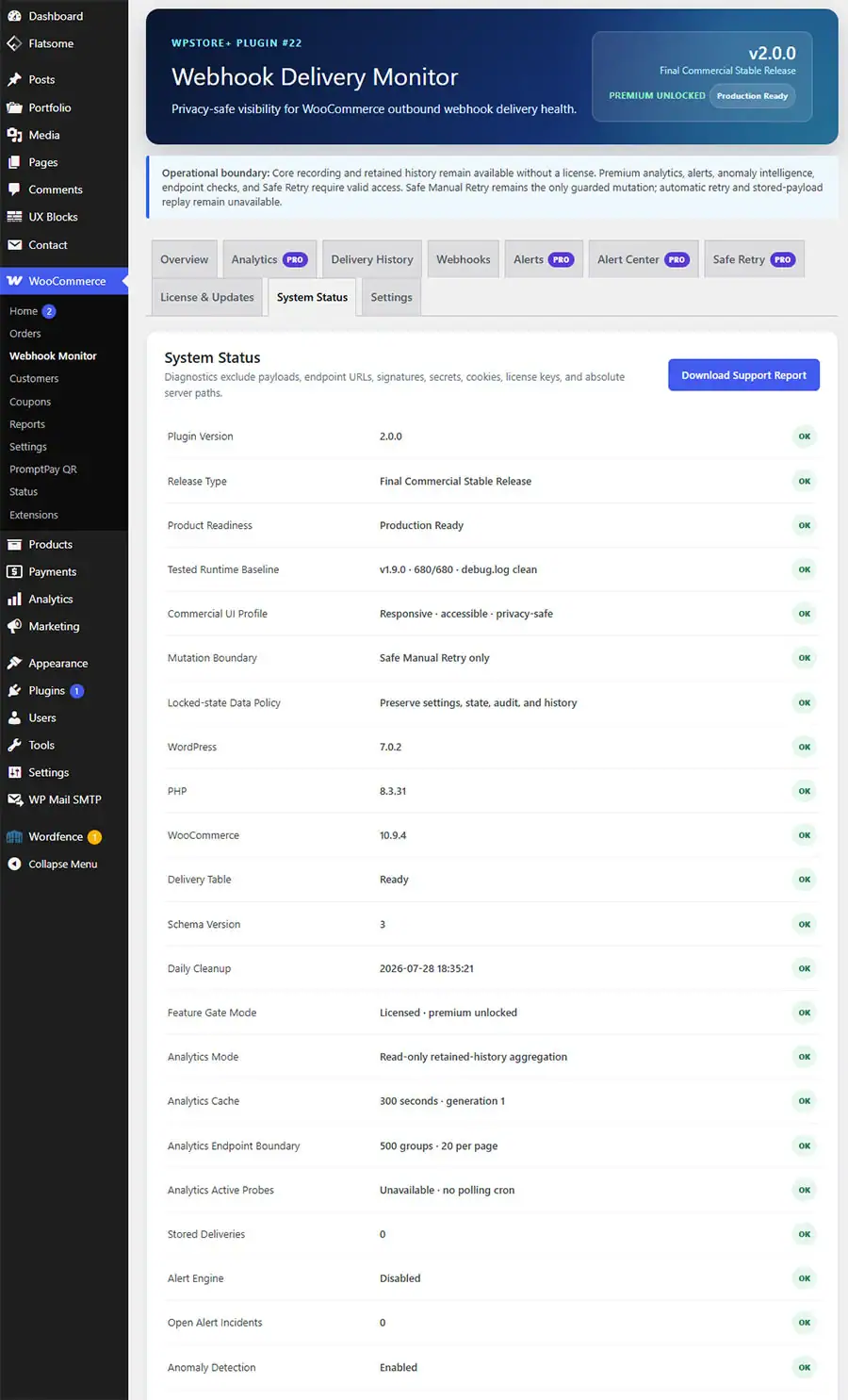
- System Status
- Support Report
- License management
An active license unlocks Premium capabilities, including:
- Endpoint Health Analytics
- Manual Endpoint Reachability Check
- Alerts and notification channels
- Anomaly Detection
- Alert Center
- Safe Manual Retry
- Retry Outcome Tracking
- Retry Outcome Notifications
A validated, site-bound offline grace period helps licensed features remain available during temporary license-server connectivity problems.
Privacy-Safe Diagnostics
The plugin is designed to minimize unnecessary exposure of sensitive webhook information.
Privacy protections include:
- Configurable payload preview handling
- Sensitive-value redaction
- Masked endpoint URLs in analytics
- Write-only notification credentials
- Privacy-safe support reports
- No full license key in diagnostics
- No authorization header exposure
- No secret or token exposure
- No absolute server paths in downloaded reports
Performance-Conscious Analytics
Analytics are designed for sites with larger delivery histories by using:
- Aggregate database queries
- Indexed delivery fields
- Bounded endpoint grouping
- Pagination
- Short-lived analytics caching
- Cache-generation invalidation when new deliveries are recorded
The plugin does not load the entire delivery history into one administration request.
Safety-First Design
WPStore+ Webhook Delivery Monitor is intentionally designed as a monitoring and controlled-recovery tool.
It does not provide:
- Automatic retry loops
- Automatic stored-payload replay
- Automatic payload reconstruction
- Continuous endpoint polling
- Analytics polling cron jobs
- Automatic package installation
- Automatic modification of existing delivery records
Safe Manual Retry is the plugin’s only guarded delivery mutation and always requires an authorized administrator action.
Suitable For
- WooCommerce store owners
- WordPress administrators
- Developers maintaining custom integrations
- Stores connected to external fulfillment systems
- Websites using accounting or inventory APIs
- Sites sending order data to automation platforms
- Agencies maintaining WooCommerce integrations
- Support teams investigating webhook reliability
Requirements
- WordPress 6.5 or later
- PHP 7.4 or later
- WooCommerce 8.0 or later
- An active WPStore+ license for Premium features
- HTTPS is recommended for production webhook endpoints
Installation
### Method 1: Install Through WordPress Administration
1. Download WPStore-Webhook-Delivery-Monitor-v2.0.0.zip.
2. Sign in to the WordPress administration dashboard.
3. Go to Plugins → Add New Plugin.
4. Select Upload Plugin.
5. Choose the downloaded ZIP file.
6. Select Install Now.
7. After installation is complete, select Activate Plugin.
8. Open WPStore+ Webhook Delivery Monitor from the WordPress administration menu.
### Initial Configuration
1. Open the Settings tab.
2. Review the monitoring and privacy settings.
3. Configure the delivery-history retention period.
4. Choose how payload previews should be handled.
5. Save the settings.
6. Open License & Updates.
7. Enter the license key issued with the purchase.
8. Select Activate License.
9. Confirm that Premium Mode is active.
10. Open Alerts and enable only the notification channels you plan to use.
11. Enter the required credentials for Email, LINE, Slack, or Custom Webhook.
12. Send a test notification before enabling production alerts.
### Verify Delivery Monitoring
1. Go to WooCommerce → Settings → Advanced → Webhooks.
2. Confirm that at least one WooCommerce webhook is active.
3. Trigger an event associated with the webhook.
4. Open Delivery History in WPStore+ Webhook Delivery Monitor.
5. Confirm that the delivery appears with the correct status and response information.
6. Open Endpoint Analytics to review the endpoint health summary.
### Updating from an Earlier Version
1. Back up the website files and database.
2. Keep the existing plugin activated.
3. Go to Plugins → Add New Plugin → Upload Plugin.
4. Upload the new ZIP package.
5. Select Replace Current with Uploaded.
6. Wait for the update to complete.
7. Open the plugin dashboard and confirm the version number.
8. Review System Status after the update.
9. Do not delete the existing plugin before uploading the update, because deleting it may invoke uninstall behavior depending on the site configuration.
Frequently Asked Questions
1. What does WPStore+ Webhook Delivery Monitor monitor?
The plugin monitors outgoing webhook deliveries created through the WooCommerce webhook system. It records delivery results, response codes, response duration, errors, endpoint health, retry relationships, and selected privacy-safe diagnostic information.
2. Does the plugin replace WooCommerce webhooks?
No. WooCommerce continues to create, schedule, and send its webhooks. The plugin adds monitoring, analytics, alerts, anomaly detection, and a guarded manual retry workflow around the existing WooCommerce webhook system.
3. Does the plugin automatically retry failed deliveries?
No. Automatic retry is intentionally not included. Eligible failed deliveries can only be retried manually by an authorized administrator.
4. Does Safe Manual Retry resend the original stored payload?
No. The plugin does not perform exact stored-payload replay. It rebuilds the retry request using the current state of the related WooCommerce resource and performs final validation before sending.
5. Can every failed delivery be retried?
No. A delivery must pass multiple eligibility checks, including resource binding, webhook availability, endpoint matching, age limits, retry limits, cooldown rules, and final pre-send validation.
6. Which notification channels are supported?
The plugin supports WordPress email, LINE Messaging API, Slack Incoming Webhook, and Custom Webhook notifications.
7. Can I receive a notification when a manual retry succeeds?
Yes. Retry-success and retry-failed-again notifications can be enabled separately. Duplicate-notification protection prevents the same outcome from being sent repeatedly.
8. Does the plugin continuously ping my webhook endpoints?
No. Endpoint analytics use recorded delivery history. The plugin does not create a continuous endpoint monitoring or analytics polling service.
A manual reachability check is available to licensed administrators and only runs after an explicit action.
9. Does the plugin store sensitive webhook data?
The plugin uses configurable privacy controls and sensitive-value redaction. Delivery History may retain a privacy-controlled preview for troubleshooting, but analytics, retry outcomes, support reports, and notification records do not expose full payloads, authorization headers, secrets, or credentials.
10. What happens when the license expires?
Core Mode continues to record and display essential delivery information. Premium features become unavailable after the validated license or offline grace period ends.
Existing Delivery History, alert settings, analytics data, retry audit information, and notification state are not deleted.
11. Will Premium settings return after I renew the license?
Yes. When the license becomes valid again, Premium features resume using the existing retained settings and data.
12. What is the offline grace period?
A site-bound offline grace period allows Premium features to remain temporarily available when a previously validated license cannot contact the license server.
The cached validation must match the license key, product slug, website host, and permitted expiration conditions.
13. Can the plugin slow down a large WooCommerce store?
The plugin uses indexed database fields, aggregate queries, pagination, bounded endpoint grouping, and short-lived caching to reduce administration-page workload.
Actual performance still depends on the website’s hosting environment, database size, traffic, retention settings, and number of webhook deliveries.
14. Does the plugin modify previous delivery records?
No. Delivery monitoring and analytics are read-only. A manual retry creates a separate delivery record linked to the original failed delivery rather than modifying the original record.
15. Does uninstalling the plugin remove its data?
Uninstall behavior depends on the plugin’s configured data-retention policy. Back up the database before uninstalling and review the available cleanup settings if historical delivery data must be retained.
16. Is the plugin suitable for staging websites?
Yes. Testing webhook integrations on a staging website is strongly recommended before using retry and notification features in production.
Changelog
### 2.0.0 — Final Commercial Stable Release
* Finalized the commercial release identity.
* Updated Product Readiness status to Production Ready.
* Locked the tested v1.9.0 runtime baseline.
* Updated plugin metadata, Stable Tag, documentation, FAQ, and release diagnostics.
* Preserved Database Schema v3.
* Preserved License Feature Gate and Offline Grace behavior.
* Preserved Delivery Monitoring, Analytics, Alerts, Anomalies, Safe Retry, and Outcome Notifications.
* Confirmed no automatic retry, stored-payload replay, endpoint polling, or analytics polling cron.
* Completed 760-step runtime verification.
### 1.9.0 — Commercial UI Polish & Product Readiness
* Added Release Readiness Snapshot.
* Added WooCommerce runtime and storage readiness indicators.
* Added Core and Premium operational-status presentation.
* Improved Product Hero, navigation, status badges, panels, and responsive layouts.
* Improved License & Updates trust information.
* Expanded System Status and Support Report release diagnostics.
* Preserved the tested v1.8.0 runtime behavior.
### 1.8.0 — License Feature Gate & Enforcement
* Added centralized License Feature Gate enforcement.
* Introduced Core Mode and Premium Mode.
* Protected Premium pages, direct administration actions, and runtime hooks.
* Added fail-closed behavior for unknown Premium features.
* Added validated, site-bound Offline Grace handling.
* Preserved settings and historical data across license transitions.
* Completed 600-step runtime verification with a clean debug log.
### 1.7.0 — Endpoint Health & Delivery Analytics
* Added Endpoint Health Analytics.
* Added 24-hour, 7-day, 30-day, and all-history reporting.
* Added Healthy, Degraded, Failing, and Unknown endpoint states.
* Added delivery success-rate and response-time analytics.
* Added failure trend classification.
* Added retry analytics and top retry endpoints.
* Added bounded endpoint grouping, pagination, and generation-based analytics caching.
* Upgraded the database schema to Version 3.
* Completed 520-step runtime verification.
### 1.6.0 — Safe Retry Outcome Notifications
* Added optional notifications for successful retries.
* Added optional notifications for retries that failed again.
* Added delivery-outcome deduplication.
* Added notification ownership locking.
* Added configurable outcome age and evaluation limits.
* Added immediate post-retry outcome evaluation.
* Preserved the no-polling-cron design.
* Completed 440-step runtime verification.
### 1.5.0 — Safe Retry Outcome & Race Safety
* Added live retry outcome tracking.
* Added original and retry delivery relationship validation.
* Added atomic ownership locking for concurrent retry requests.
* Added final pre-send validation.
* Added race-condition protection.
* Preserved manual-only retry behavior.
* Completed 400-step runtime verification.
### 1.4.0 — Safe Manual Retry
* Added guarded Safe Manual Retry.
* Added resource binding and endpoint fingerprinting.
* Added retry age, rate, cooldown, and attempt limits.
* Added retry audit information.
* Added administrator confirmation and permission protection.
* Prevented automatic retry and exact stored-payload replay.
* Completed 340-step runtime verification.
### 1.3.0 — WPStore License Integration
* Integrated WPStore License SDK 2.2.1-compatible licensing.
* Added license activation, validation, deactivation, and update checks.
* Added product mapping and stable release-channel support.
* Added secure package and update guards.
* Completed 260-step runtime verification.
### 1.2.0 — Anomaly Detection & Alert Center
* Added failure-spike detection.
* Added repeated-error detection.
* Added slow-response anomaly detection.
* Added signature mismatch monitoring.
* Added centralized Alert Center and anomaly timeline.
* Completed 180-step runtime verification.
### 1.1.1 — Administration Notice Contrast Hotfix
* Improved administration notice readability.
* Corrected contrast and presentation issues.
* Preserved the v1.1.0 runtime baseline.
* Completed 40-step hotfix verification.
### 1.1.0 — Failure Alerts & Reliability Intelligence
* Added configurable delivery-failure alerts.
* Added recovery notifications.
* Added Email, LINE, Slack, and Custom Webhook channels.
* Added alert thresholds and notification history.
* Added reliability summaries.
* Completed 400-step runtime verification.
### 1.0.1 — Monitoring and Administration Stability Update
* Improved monitoring stability.
* Improved administration access handling.
* Improved delivery-table reliability.
* Preserved the initial monitoring architecture.
### 1.0.0 — Initial Release
* Added WooCommerce webhook delivery recording.
* Added Delivery History and delivery details.
* Added privacy redaction controls.
* Added retention and cleanup settings.
* Added webhook overview and health information.
* Added System Status and privacy-safe Support Report.
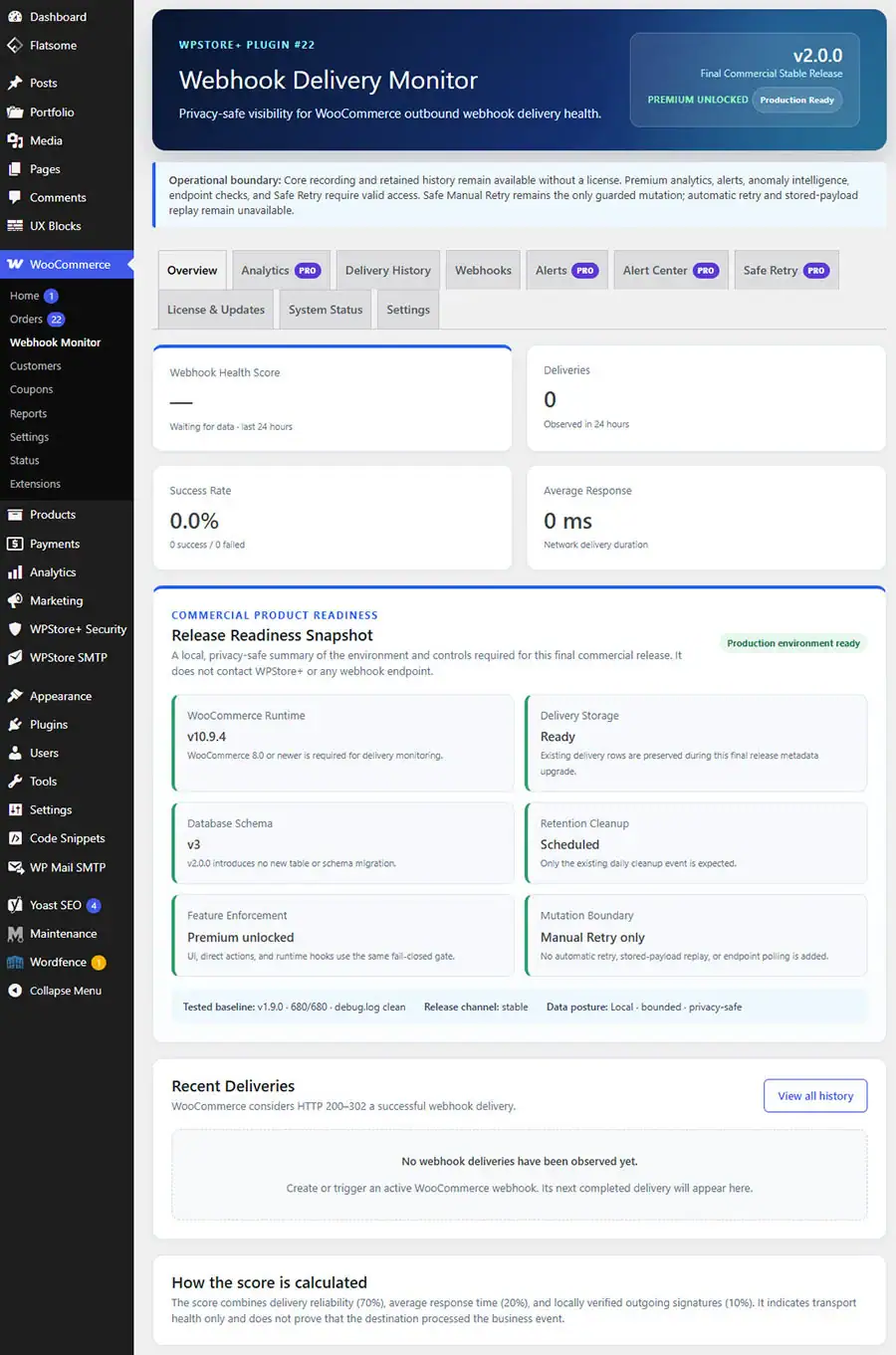
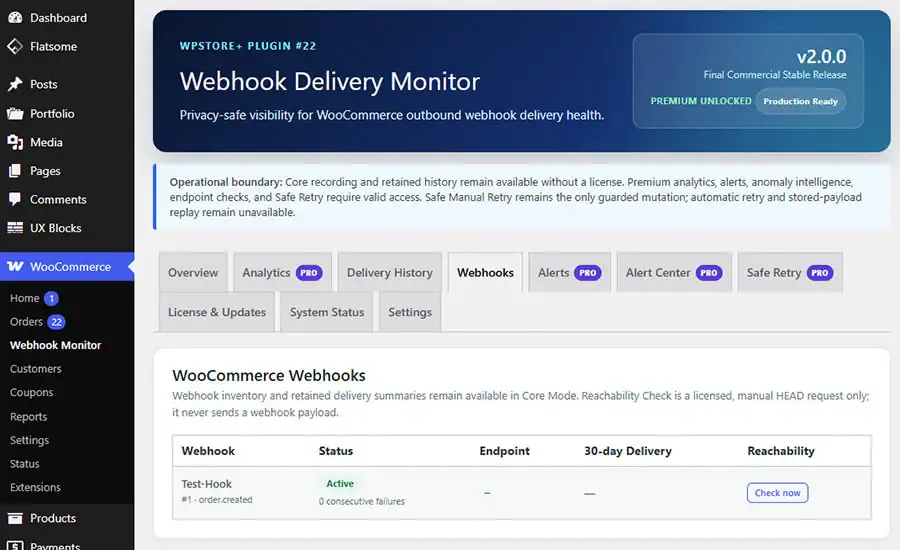
Product Screenshots
Preview the plugin interface, settings, and key features before purchase.
Be the first to review “WPStore+ Webhook Delivery Monitor”
Related products
WordPress Plugins
LINE Integration
Payment Gateway
Local SEO
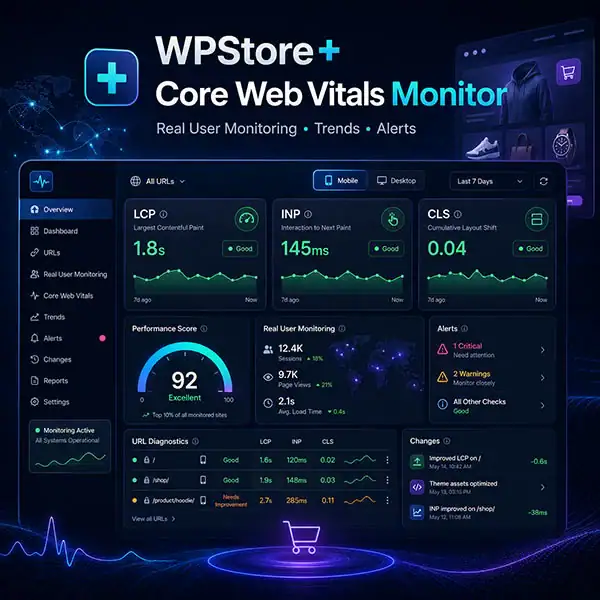
Core Web Vitals Monitoring

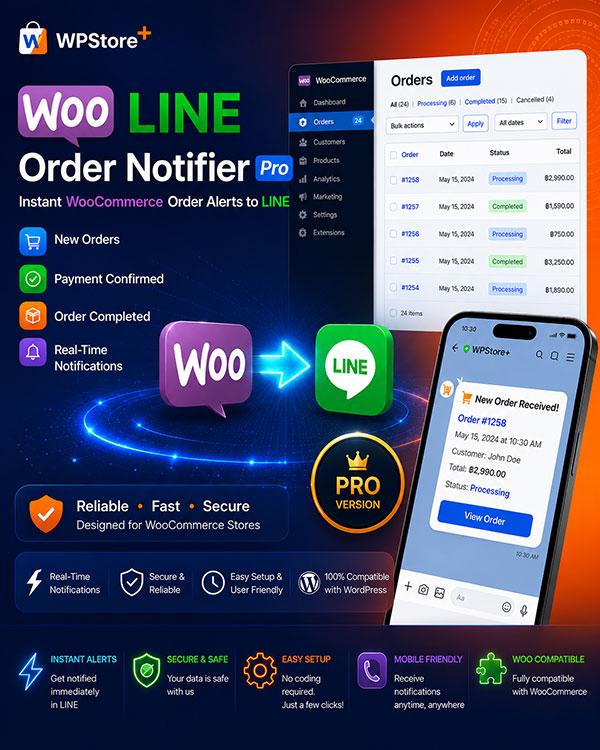
WooCommerce Plugins
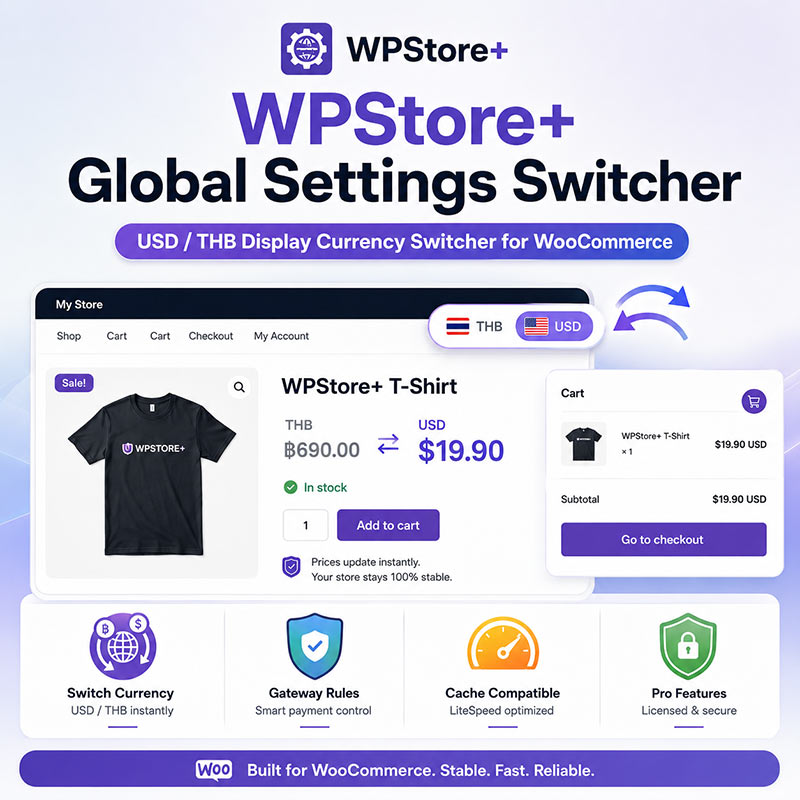
Currency Tools

Reviews
There are no reviews yet.