


WPStore+ Social Login
฿1,424EstimatedOriginal: $39.00
Enable secure and seamless social login for your WordPress and WooCommerce website. Let customers sign in with their favorite accounts such as Google, Facebook, X, LINE, GitHub, Microsoft, and Apple to improve user experience and increase conversions.
✨ Key Features
- 🔐 Secure OAuth 2.0 & OpenID Connect authentication
- ⚡ One-click login and registration
- 🛒 WooCommerce compatible
- 👥 Reduce registration friction and improve user engagement
- 🌐 Support for multiple popular identity providers
- 🔧 Easy setup with no coding required
- 🚀 Optimized for performance and modern WordPress sites
- 🔄 1 Year of updates included
- 🛠 Professional support from WPStore+
Make Login Simple for Your Customers
WPStore+ Social Login helps visitors sign in using their existing social accounts instead of creating another username and password. A smoother login experience means higher registration rates and better customer satisfaction.
Whether you run a WooCommerce store, membership website, or community platform, WPStore+ Social Login makes authentication fast, secure, and user-friendly.
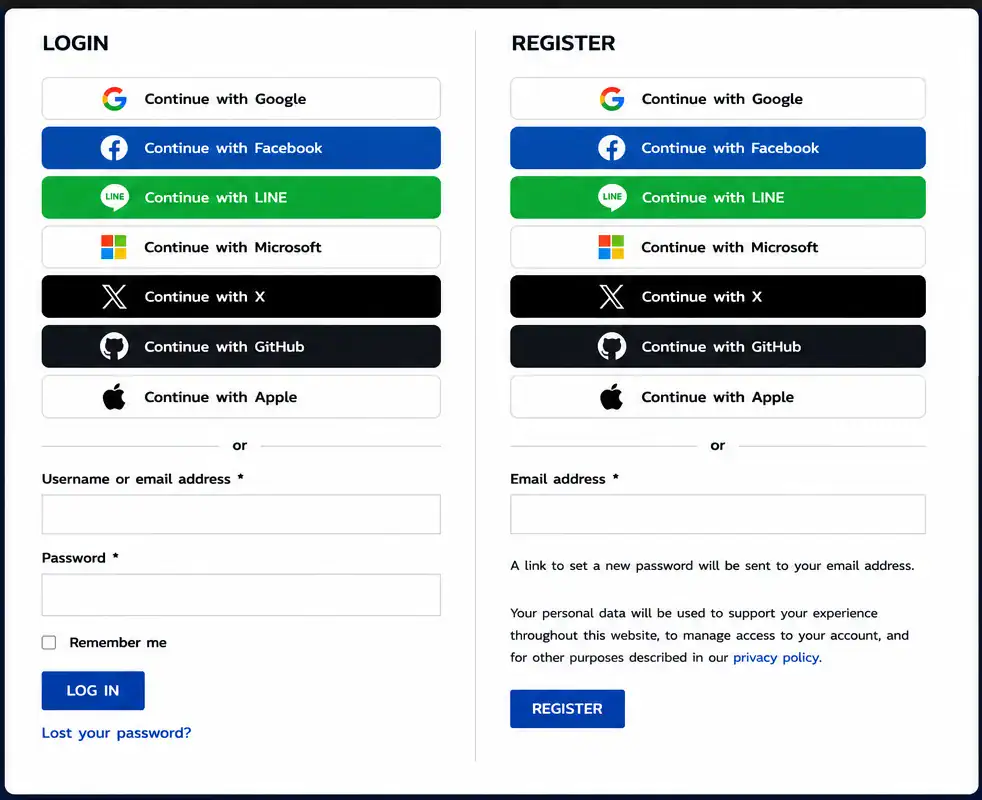
Supported Providers
- X (Twitter)
- LINE
- GitHub
- Microsoft
- Apple
Why Choose WPStore+ Social Login?
- Enterprise-grade authentication flow
- Modern and responsive design
- Optimized for WooCommerce stores
- Works with membership and account systems
- Simple administration interface
- Lightweight and performance-focused
- Built for long-term compatibility with WordPress
Perfect For
- WooCommerce stores
- Membership websites
- Online communities
- Learning platforms
- Business websites
- Digital product stores
What’s Included
- WPStore+ Social Login plugin
- 1 Year of updates
- Documentation
- Professional technical support
- Future compatibility improvements
License
- Valid for the selected number of sites
- Includes 1 year of updates and support
- Renewal available after expiration
Requirements
- WordPress 6.x or later
- PHP 8.x recommended
- WooCommerce (optional for eCommerce features)
- HTTPS/SSL enabled
- Valid API credentials for the desired social providers
Installation
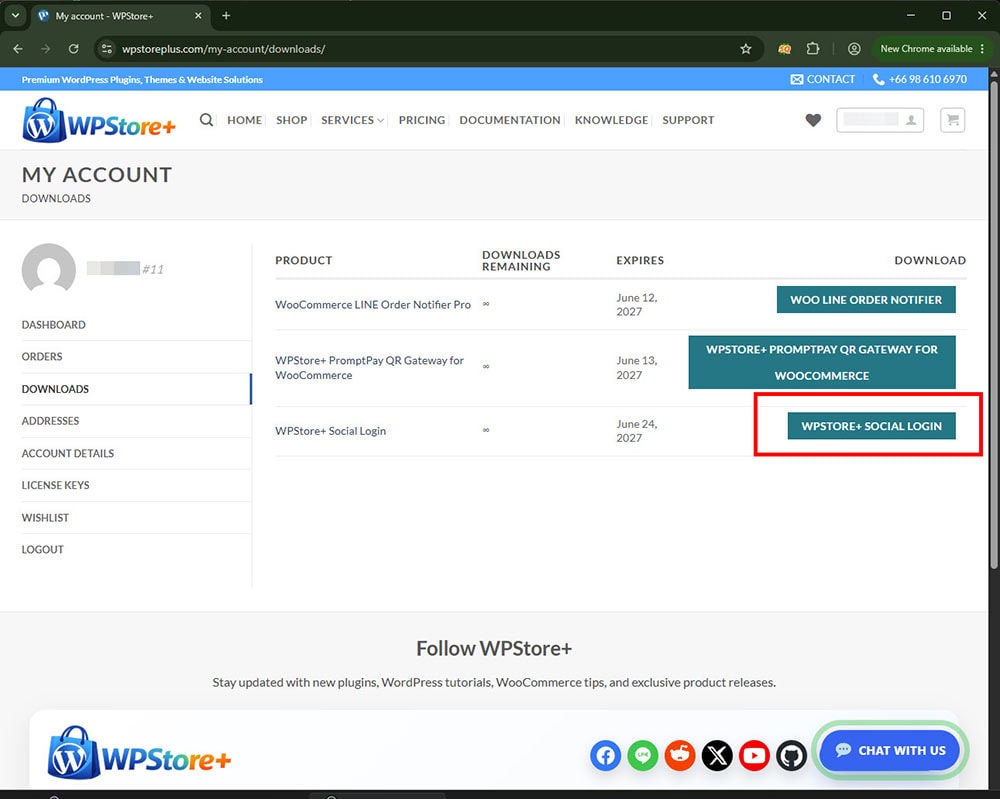
### 1. Download the Plugin
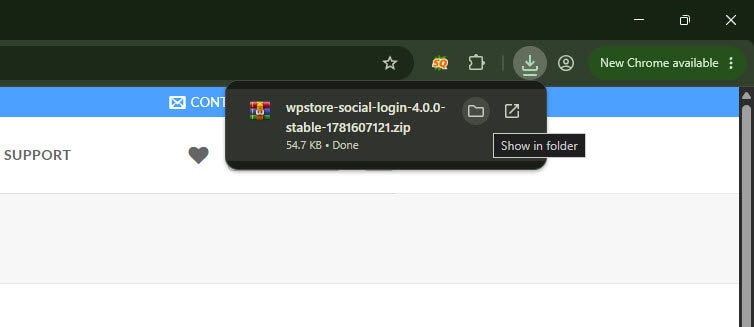
After completing your purchase, download the WPStore Social Login plugin ZIP file from your WPStore+ account or order download page.
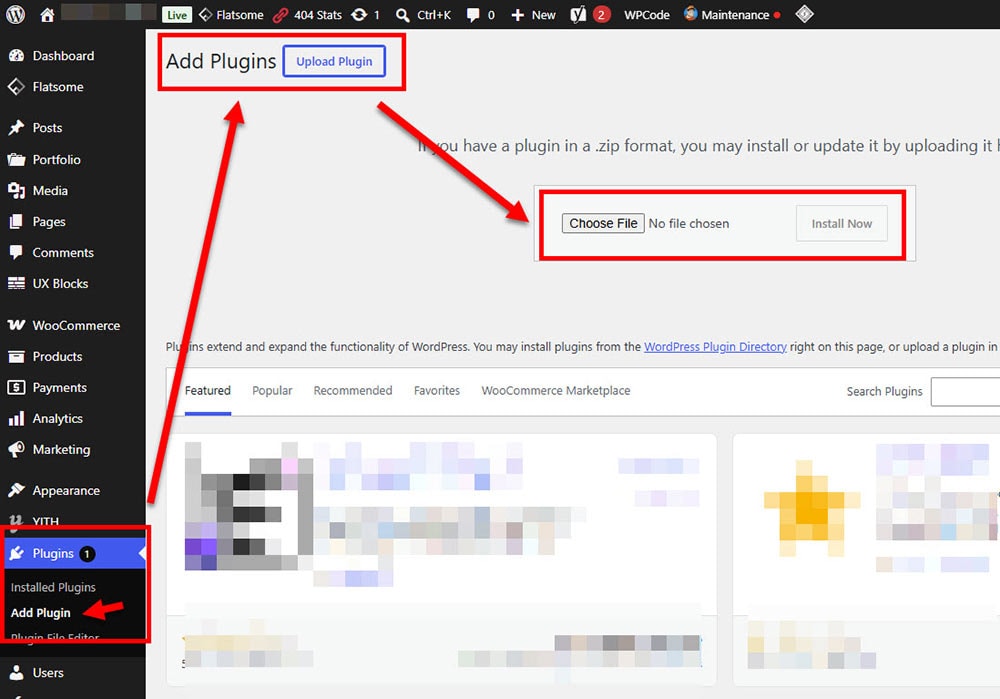
### 2. Upload the Plugin to WordPress
Go to your WordPress admin dashboard, then navigate to:
**Plugins → Add New → Upload Plugin**
Choose the plugin ZIP file and click **Install Now**.
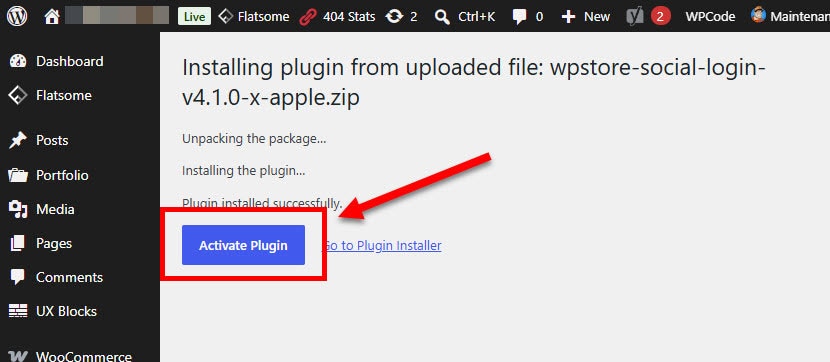
### 3. Activate the Plugin
After installation is complete, click **Activate Plugin** to enable WPStore Social Login on your website.
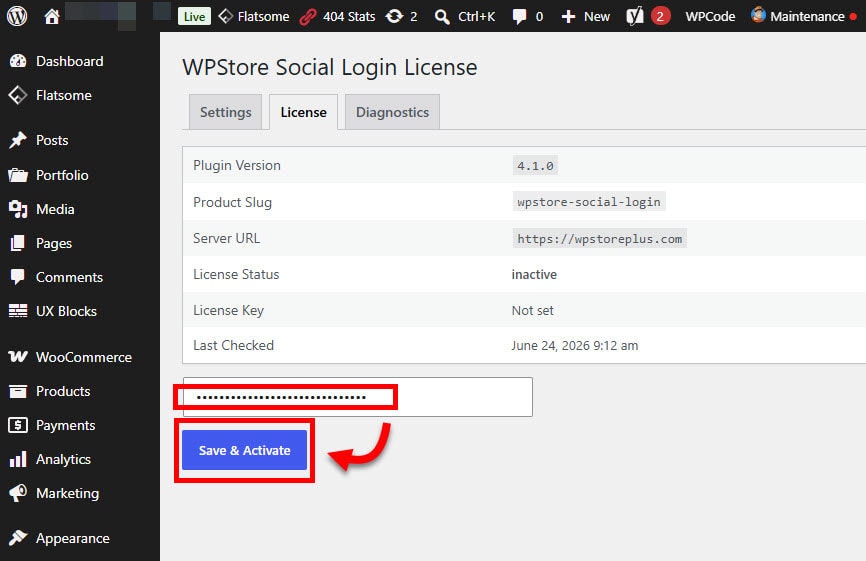
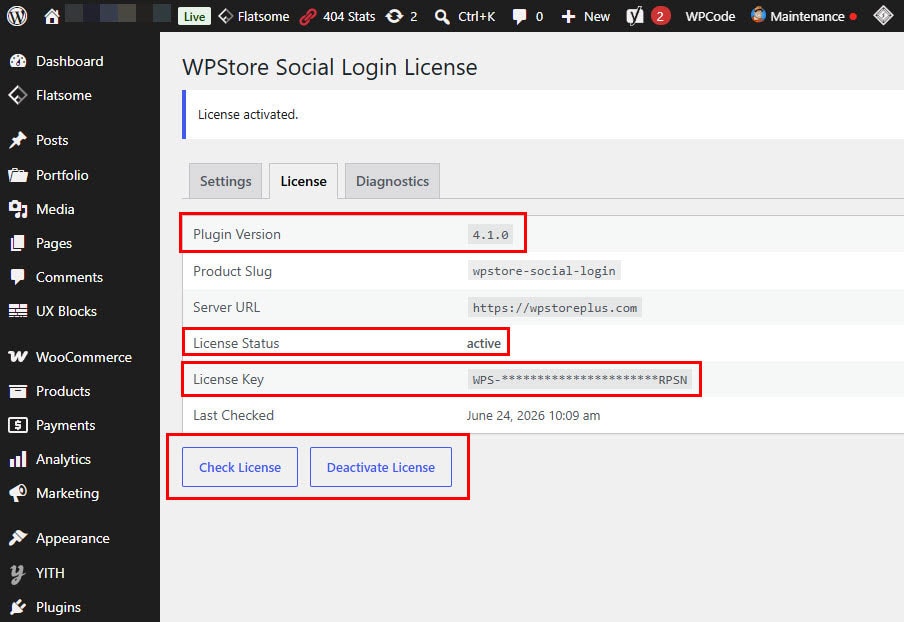
### 4. Activate Your License
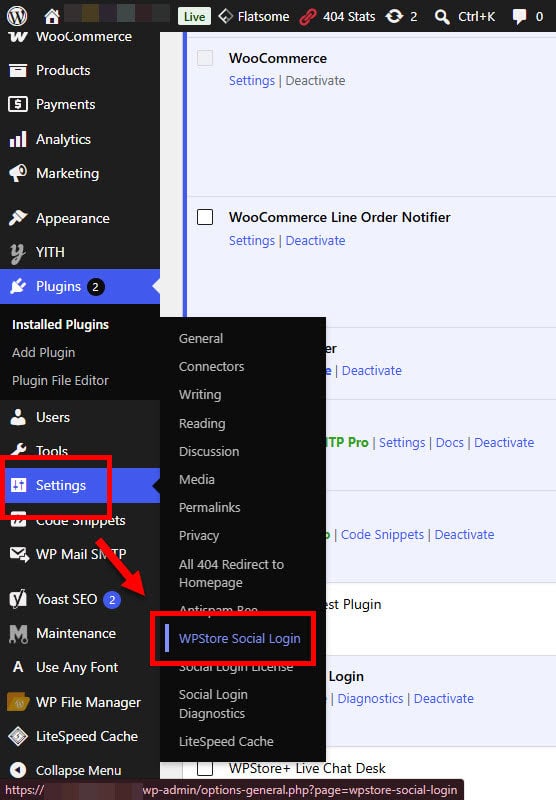
Go to the WPStore Social Login settings page and enter your license key. Click **Activate License** to enable licensed features, support, and update access.
### 5. Configure Social Login Providers
Open the plugin settings page and enter the required OAuth credentials for each provider you want to use, such as:
* Google Client ID and Client Secret
* LINE Channel ID and Channel Secret
* GitHub Client ID and Client Secret
* Other supported provider credentials when available
### 6. Copy the Callback URL
Use the callback URL shown in the plugin settings page and add it to the corresponding provider developer console or app settings.
### 7. Enable Login Buttons
Choose where you want the social login buttons to appear, such as the WordPress login page, registration page, WooCommerce My Account page, or custom pages using shortcode.
### 8. Test the Login Flow
Test each enabled provider by logging in with a real social account. Make sure the user account is created or matched correctly.
### 9. Use Shortcode When Needed
You can place the social login buttons on custom pages using the plugin shortcode provided in the settings page.
### 10. Keep the Plugin Updated
Use the built-in WPStore+ update system to keep the plugin updated with the latest improvements, fixes, and compatibility updates.
Frequently Asked Questions
### What is WPStore Social Login?
WPStore Social Login is a WordPress plugin that allows visitors and customers to log in or register using supported social accounts instead of creating a new username and password manually.
### Which social login providers are supported?
WPStore Social Login supports Google, LINE, and GitHub login. The plugin also includes a prepared structure for Facebook and Microsoft login, depending on the availability of provider credentials and platform approval requirements.
### Does this plugin work with WooCommerce?
Yes. WPStore Social Login is designed to work with WooCommerce My Account login and registration pages, helping customers access their accounts more quickly.
### Can I display social login buttons on custom pages?
Yes. The plugin includes shortcode support, allowing you to place social login buttons on custom pages, landing pages, or other areas supported by WordPress shortcodes.
### Do I need to create developer apps for each provider?
Yes. Each social login provider requires its own developer app or OAuth application. You will need to create an app, copy the Client ID and Client Secret, and add the callback URL provided by the plugin.
### Is coding knowledge required to use this plugin?
No coding knowledge is required for normal setup. The plugin provides an admin settings page where you can enter provider credentials and configure available login buttons.
### Does the plugin automatically create a WordPress user account?
Yes. When a new visitor logs in using a supported social provider, the plugin can create a WordPress user account based on the information returned by the provider.
### What happens if the user already has an account?
If the user already has an account with the same email address, the plugin can match the login to the existing WordPress account instead of creating a duplicate account.
### Is WPStore Social Login secure?
The plugin includes OAuth state validation, safer redirect handling, and improved login flow checks to help protect the login process. Security also depends on correct provider setup and keeping WordPress, themes, and plugins updated.
### Does this plugin replace the normal WordPress login form?
No. WPStore Social Login adds social login options while keeping the default WordPress login system available.
Can I use this plugin without an active license?
An active license is recommended for full commercial use, updates, and support. Without an active license, update access and licensed features may be limited depending on the plugin configuration.
### Does the plugin support automatic updates?
Yes. WPStore Social Login integrates with the WPStore+ license and update system. It supports update checks, force update check, and update cache clearing tools.
### Can I customize the button placement?
Yes. Social login buttons can be displayed on supported login/register areas and can also be placed manually using a shortcode.
### Will this plugin slow down my website?
WPStore Social Login is designed to be lightweight and only loads the required login-related functionality where needed. Actual performance may vary depending on the website environment, active plugins, and theme.
### Do I need HTTPS for social login to work?
Yes. HTTPS is strongly recommended and often required by OAuth providers. Your website should have a valid SSL certificate before setting up social login.
### Why does Facebook Login require extra approval?
Facebook may require additional app settings, business verification, privacy policy pages, data deletion instructions, and platform review depending on how the app is used. This requirement comes from Meta/Facebook, not from the plugin itself.
### Why can Microsoft Login require additional setup?
Microsoft Login requires an app registration inside the Microsoft identity platform. The available options may depend on the Microsoft account type, tenant settings, and permissions.
### What should I do if login does not work?
First, check that the Client ID, Client Secret, and callback URL are correct. Then confirm that the provider app is active, the redirect URL matches exactly, and your website uses HTTPS. You can also review the plugin settings and WordPress debug log if needed.
### Is support included?
Yes. Support is available for customers with an active license according to the support terms provided by WPStore+.
Changelog
### Version 4.0.0 – Stable Baseline Release
**Released as a stable baseline version for WPStore Social Login.
* Added improved multi-provider social login support.
* Added Google, LINE, and GitHub login support.
* Prepared provider structure for Facebook and Microsoft login integration.
* Added WooCommerce My Account login/register compatibility.
* Added shortcode support for flexible button placement.
* Improved OAuth security, login state validation, and redirect handling.
* Improved user registration and existing account matching.
* Improved admin settings interface and provider configuration.
* Added WPStore+ license activation, validation, and deactivation support.
* Added automatic update support with force update check and clear update cache tools.
* Improved frontend button display and overall plugin stability.
* Tested and marked as a stable baseline release for commercial use.
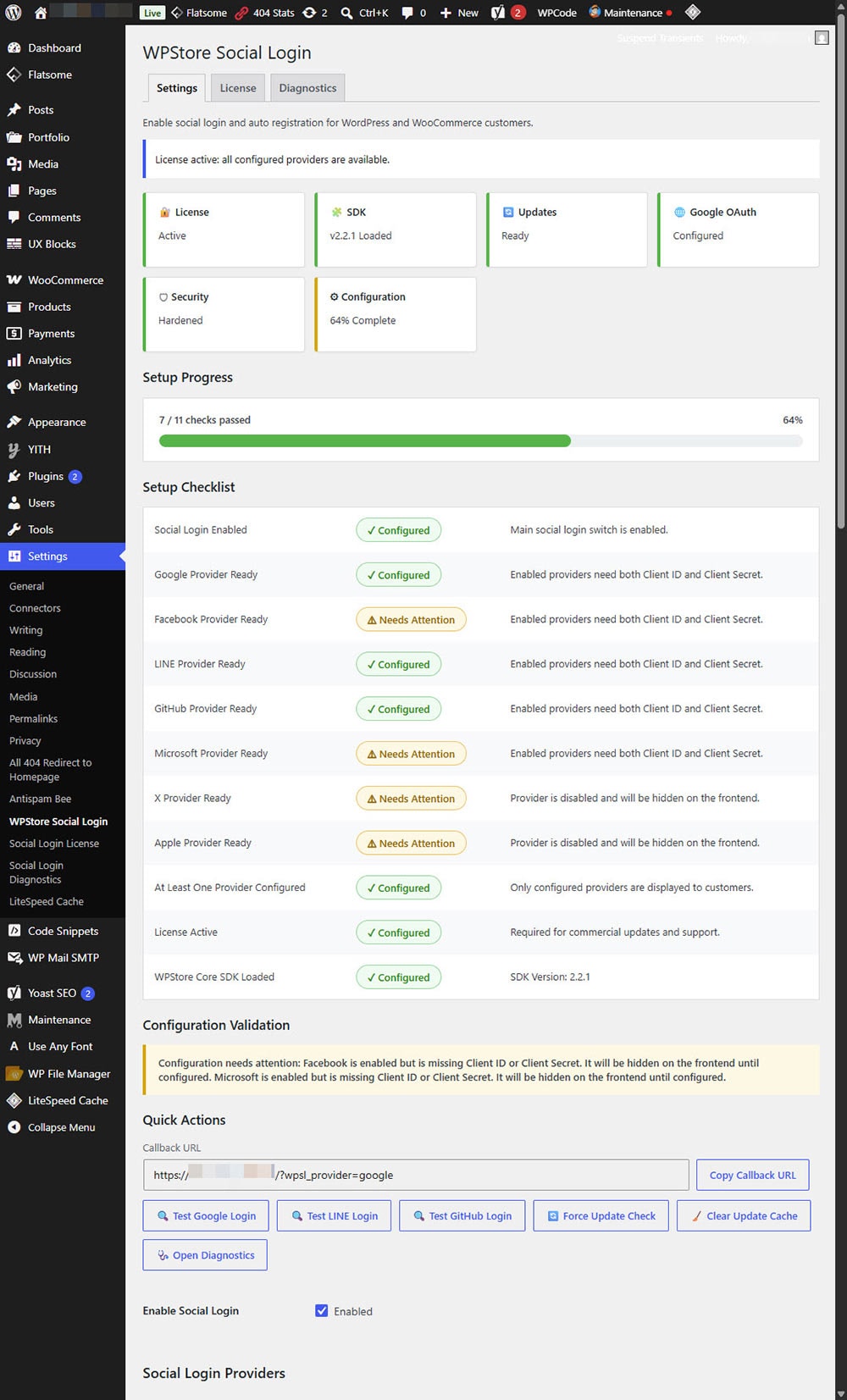
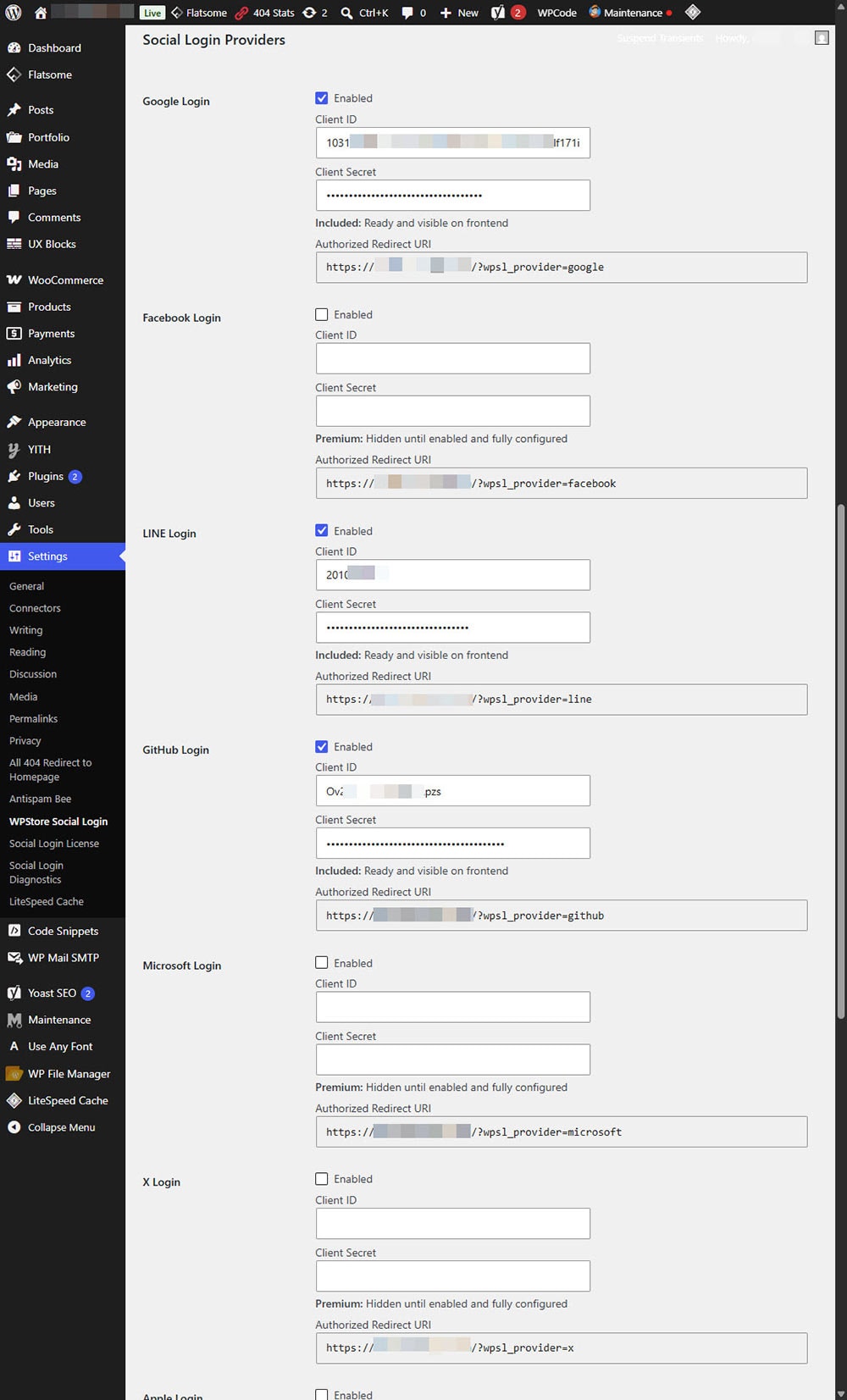
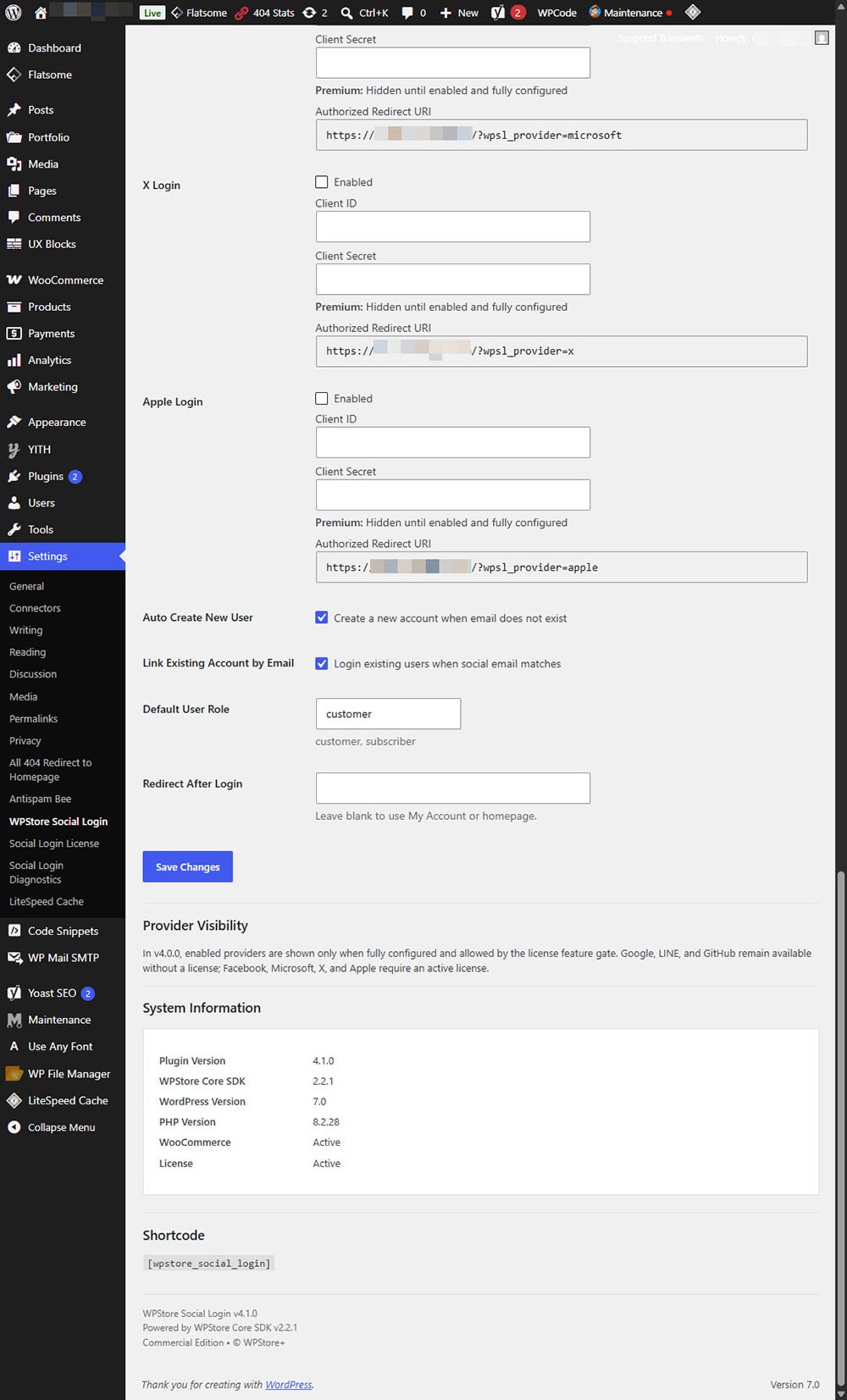
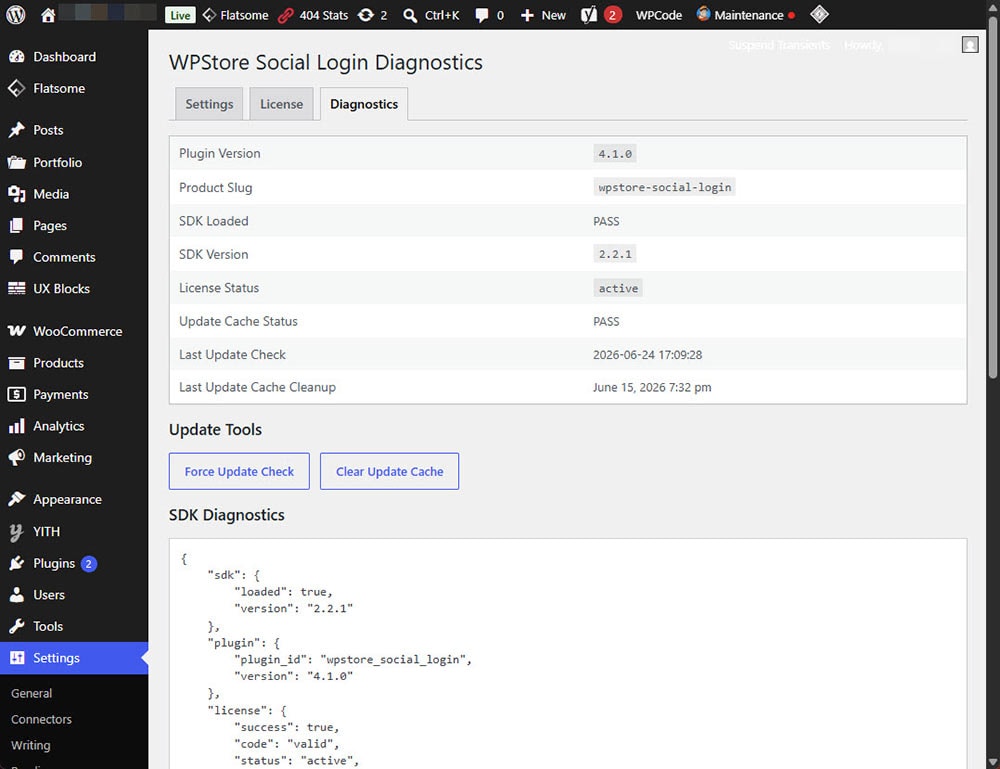
Product Screenshots
Preview the plugin interface, settings, and key features before purchase.
Only logged in customers who have purchased this product may leave a review.
Related products

Currency Tools
WordPress Email Tools
AI Tools
Membership & User Management

WooCommerce Plugins
Payment Gateway

WordPress Performance

Media Management

Reviews
There are no reviews yet.