
WordPress Tutorials, Knowledge
How to Fix WordPress Login Redirect Loop Issues
Jun
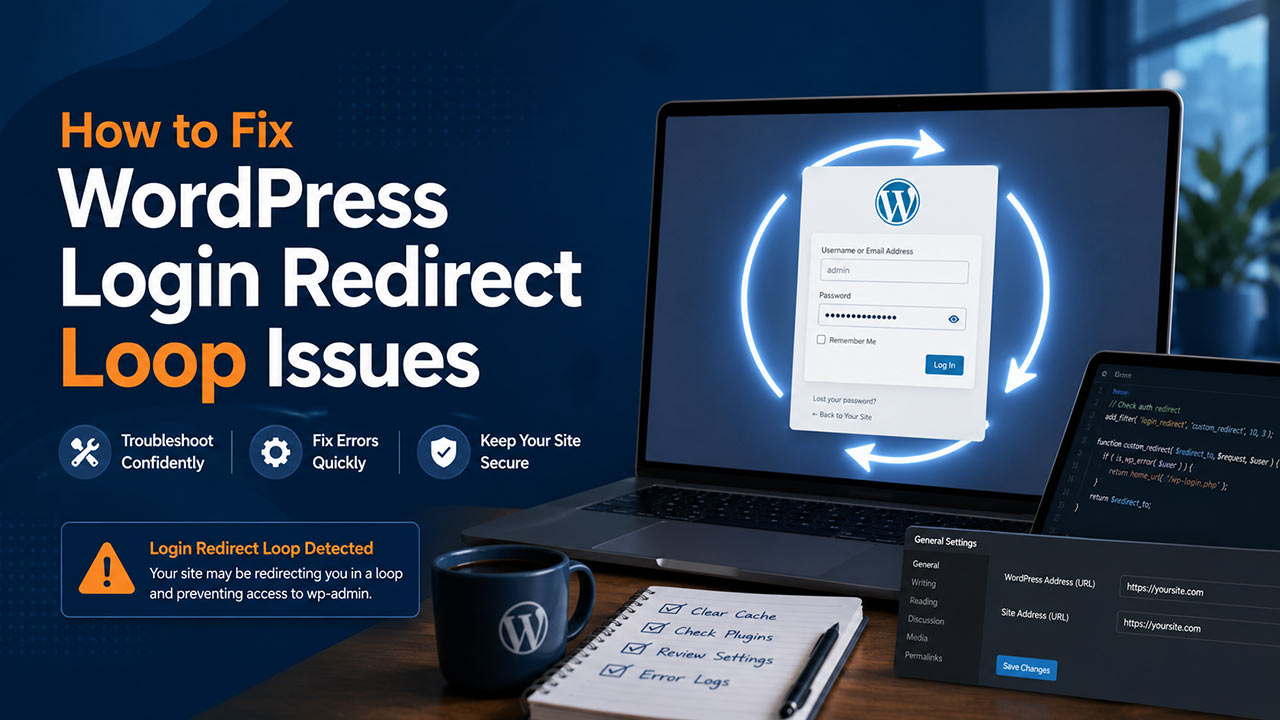
WordPress Login Redirect Loop issues can prevent website owners from accessing the WordPress dashboard even when the correct username and password are entered. This problem usually appears when the login page refreshes, redirects back to itself, or keeps sending the user between wp-login.php and wp-admin. While the issue can be frustrating, it is often caused by cookies, cache, plugin conflicts, incorrect site URLs, or server-level redirect rules. 🔐
What Causes a WordPress Login Redirect Loop?
A WordPress login redirect loop can happen when WordPress cannot properly verify the login session. In many cases, the browser may store outdated cookies, or a caching system may continue serving an old login state. This prevents WordPress from completing the authentication process correctly.
Another common cause is a conflict with plugins. Security plugins, redirection plugins, membership plugins, login customization tools, and caching plugins may sometimes affect the login process. If one of these tools changes the login URL, forces HTTPS, blocks cookies, or modifies redirects, WordPress may send the user back to the login page repeatedly.
Incorrect WordPress Address and Site Address settings can also create a redirect loop. For example, if one setting uses http:// while the other uses https://, or if the domain is different between settings, WordPress may treat the login session as invalid. This is especially common after changing domains, enabling SSL, moving servers, or restoring a backup. 📍
Step-by-Step Guide to Fix the Issue
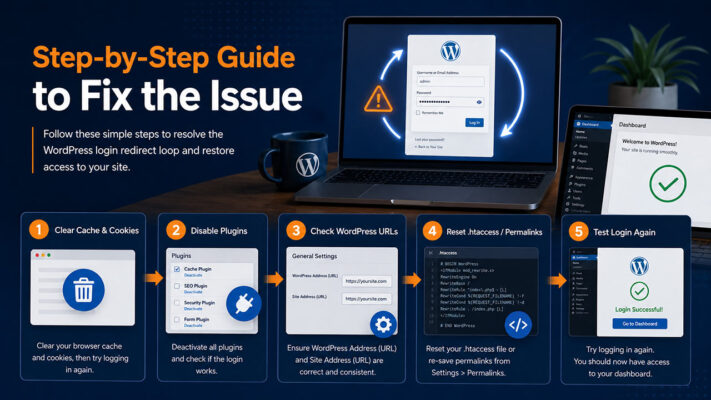
The first step is to clear browser cookies and cache for your website. Because WordPress relies on cookies to confirm login sessions, corrupted or outdated cookies may block successful access. After clearing them, try logging in again using a private or incognito browser window.
If the issue continues, temporarily disable caching from your hosting panel, CDN, and WordPress caching plugin. Cached redirects can keep sending users back to the login page even after the original issue has been resolved.
Next, check for plugin conflicts. If you cannot access the dashboard, use FTP or your hosting file manager to rename the plugins folder inside wp-content. For example, rename it to plugins-disabled. This will deactivate all plugins temporarily. If login works after that, restore the folder name and reactivate plugins one by one to identify the cause.
Theme conflicts are less common but still possible. To test this, switch to a default WordPress theme such as Twenty Twenty-Five. If dashboard access returns after changing the theme, the active theme may contain custom redirect logic or compatibility issues.
You should also review the WordPress Address and Site Address values. If dashboard access is unavailable, these can be checked in the database or defined manually inside wp-config.php using WP_HOME and WP_SITEURL. Make sure both values use the correct domain and protocol.
Additional Checks for Advanced Troubleshooting
If the problem still remains, check the .htaccess file. A damaged or incorrect .htaccess file may create redirect problems, especially on Apache or LiteSpeed servers. You can temporarily rename the file and then regenerate it later by saving the permalink settings inside WordPress.
SSL and HTTPS settings should also be reviewed. A mismatch between Cloudflare, hosting SSL, WordPress settings, and redirect rules may cause repeated redirects. Website owners should make sure that HTTPS is configured consistently across the server, CDN, and WordPress settings.
For multisite websites or custom server setups, cookie domain settings may also need attention. A wrong cookie domain configuration can prevent WordPress from validating the login session correctly.
FAQs
Why does WordPress keep redirecting me to the login page?
This usually happens because WordPress cannot confirm the login session. The cause may be browser cookies, plugin conflicts, incorrect URL settings, cache, SSL mismatch, or redirect rules.
Can a plugin cause a WordPress login redirect loop?
Yes. Security, cache, redirection, membership, and login customization plugins can affect the login process. Temporarily disabling plugins is one of the safest ways to test the issue.
Will fixing this issue affect my website content?
In most cases, no. The troubleshooting steps focus on login sessions, plugins, cache, URL settings, and server rules. However, it is always recommended to take a backup before making changes.
Should I edit wp-config.php?
Only edit wp-config.php if you are comfortable working with WordPress files. A small mistake can affect website access, so create a backup before making changes.
Summary
WordPress Login Redirect Loop issues are usually related to cookies, cache, plugin conflicts, incorrect URL settings, SSL configuration, or redirect rules. The safest approach is to start with simple steps such as clearing cookies and cache, then move on to plugin testing, theme checks, URL verification, and .htaccess review. By following a structured troubleshooting process, website owners can usually restore dashboard access without making unnecessary changes. 🛠️
Call To Action
WordPress Login Redirect Loop problems can be resolved more safely when you troubleshoot step by step. If your website still redirects after trying these fixes, consider getting professional WordPress support to review plugins, SSL settings, database URLs, and server redirect rules.